







Facebook Product Feed Automation

Create and optimize your product feeds for Facebook

  • Prevent errors using the Feed Review tool
  • Make use of advanced feed rules to edit products in bulk
  • Find the best variations with A/B testing tactics

4.6 (332+ ratings)

4.8 (279+ ratings)

18,497+ brands worldwide trust DataFeedWatch to drive performance

  • Adidas
  • NewBalance
  • Wella
  • decathlon
  • white shark media
  • StubGroup
  • Northern
  • Novicell

Intuitive and easy to use

Managing your Meta product feed is not always easy, but our Facebook ad automation tool makes it simple

Simplify your feed creation with Facebook 1‑Click Feeds

Save time and avoid common errors, while maintaining complete control over your product data.

Generate an optimized feed for your campaigns with a single click. This feature is available for all your product data sources.
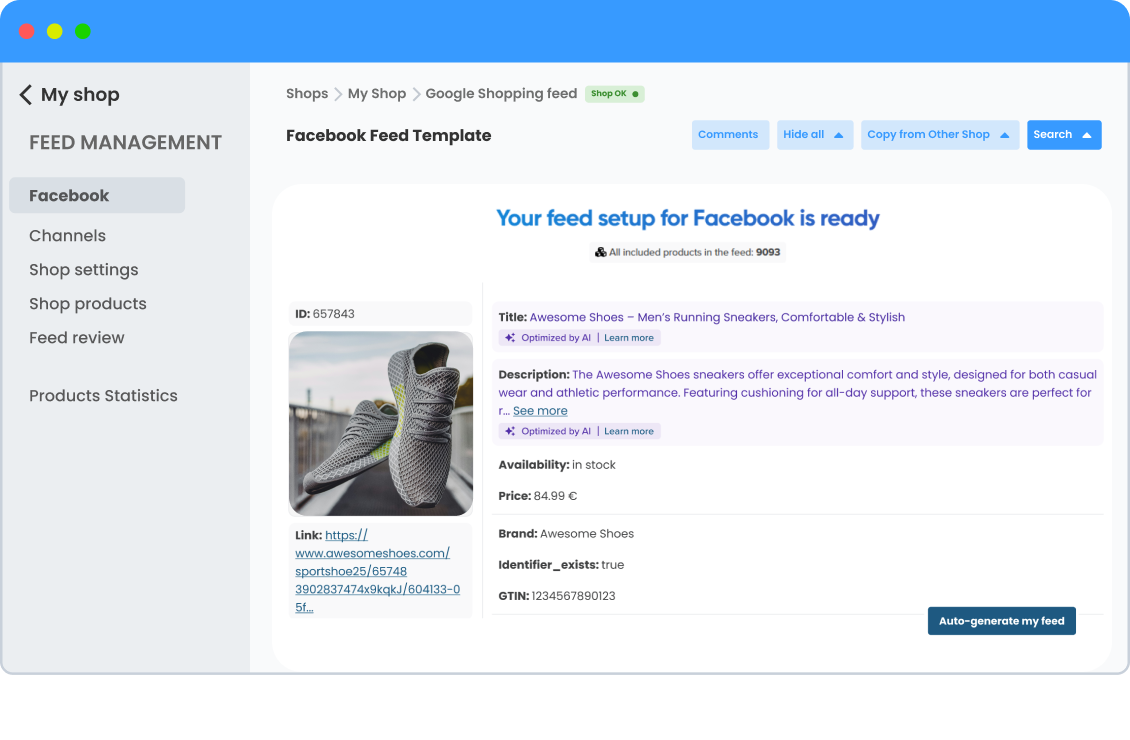
1-click feed product mapping
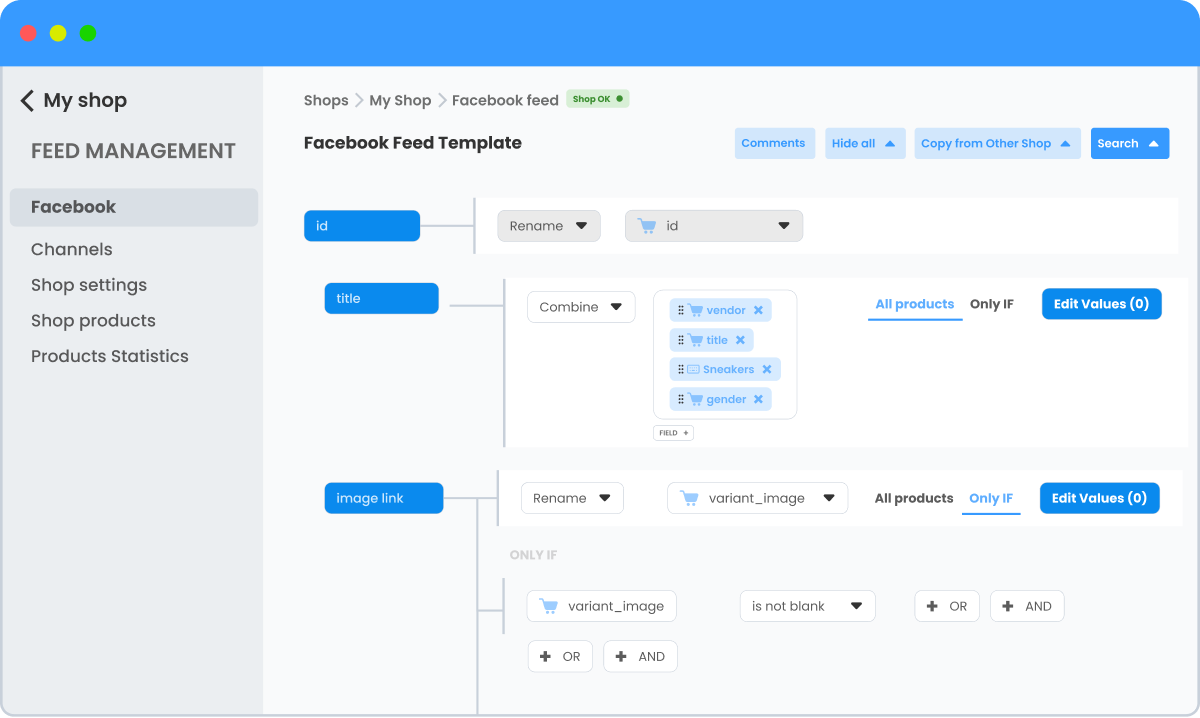
1-click feed product mapping

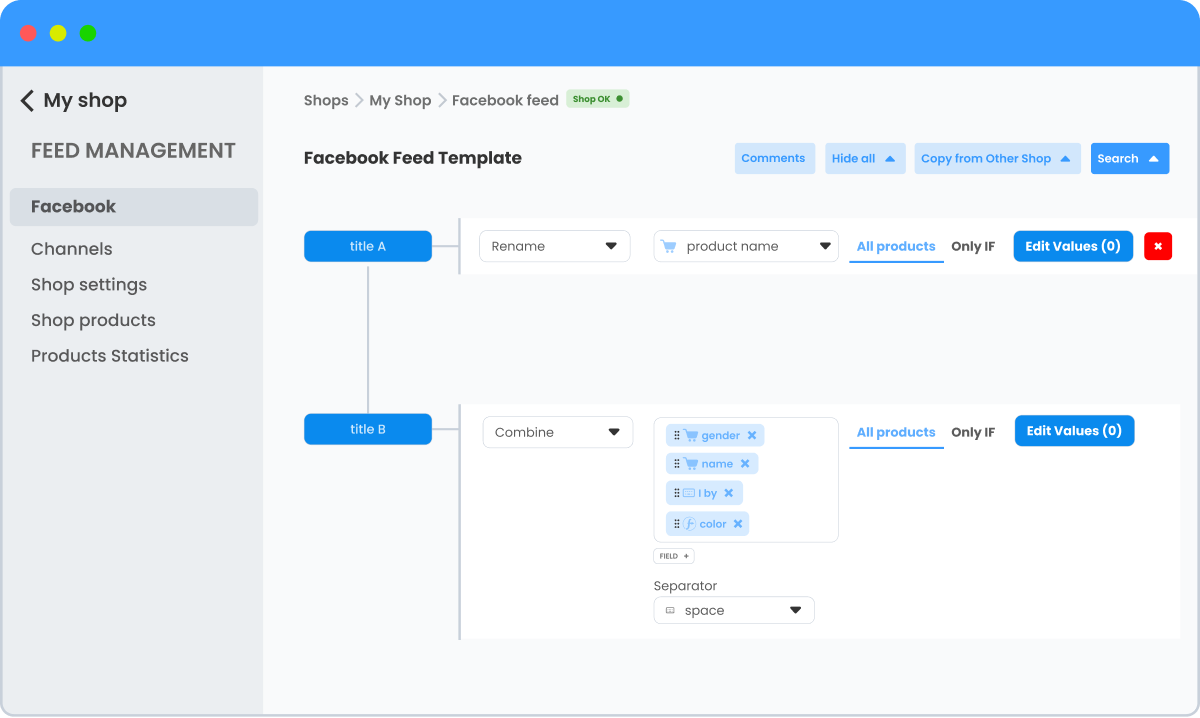
Optimize your product feeds with smart rules, regex & data mapping

Use advanced rules such as extracting color from product descriptions, deriving product types from titles, or automatically generating categories for a wide range of product types.

Enhance your feed by adding missing data from external sources, calculating profit margins, and implementing regex for complex product rules.

Advanced product feed rules

Advanced product feed rules

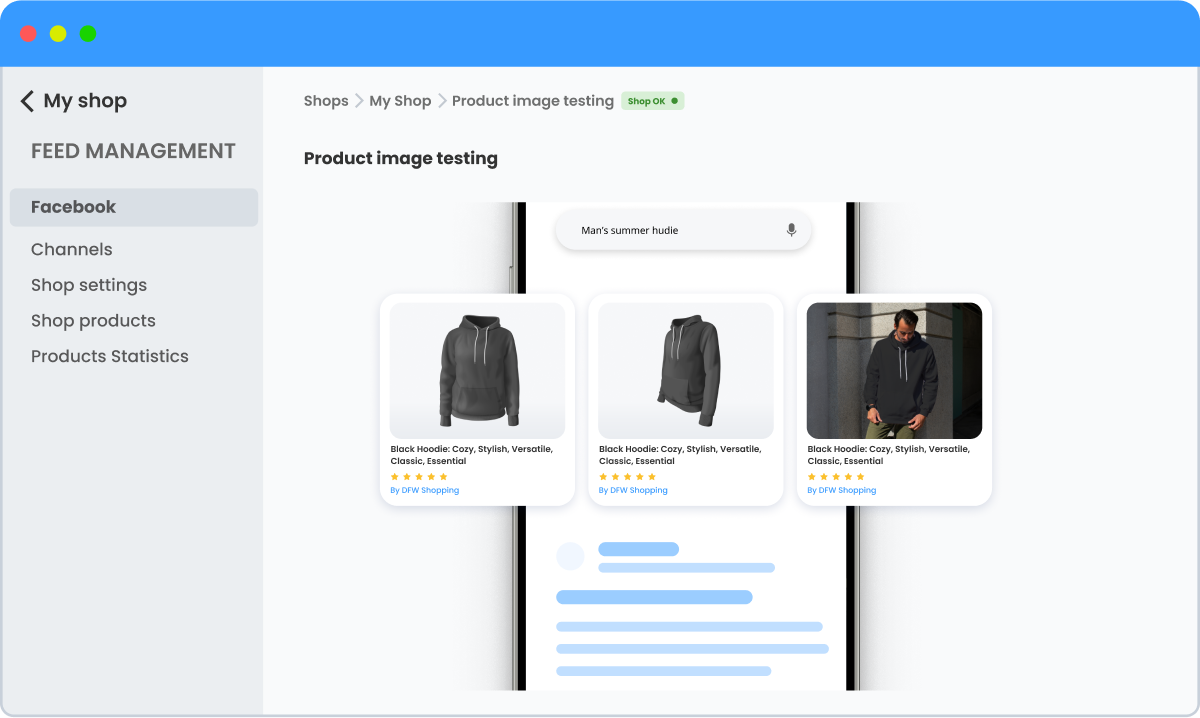
Test what images work best for each product group

Experiment with different types of images such as lifestyle, plain background, or action shots to see which ones get the best results.

Create a custom label to split your products into Products A and Products B, then test different images for each group.

Product image testing

Product image testing

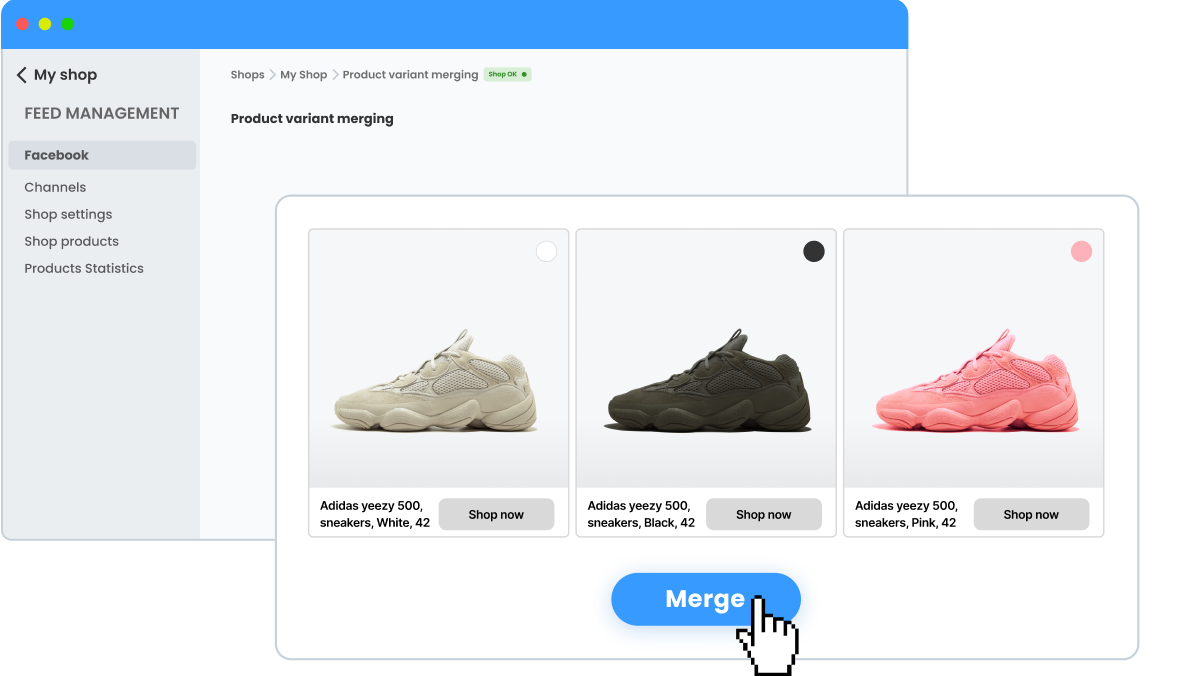
Keep your Facebook ads clean by merging product variants

Merge product variants when you want to advertise just one version of a product on Facebook.

DataFeedWatch merges many common features of each variation automatically. For more atypical ones, you can select a specific option, e.g., the new version can contain only the part that is repeated.

Product variant merging

Product variant merging

Run split tests to improve your product feed results on Facebook

Make adjustments to your feed content and conduct tests to identify the most effective variations.

You can enhance your product feeds by creating duplicate feeds and experimenting with different versions using the A/B testing functionality.

A/B testing

A/B testing

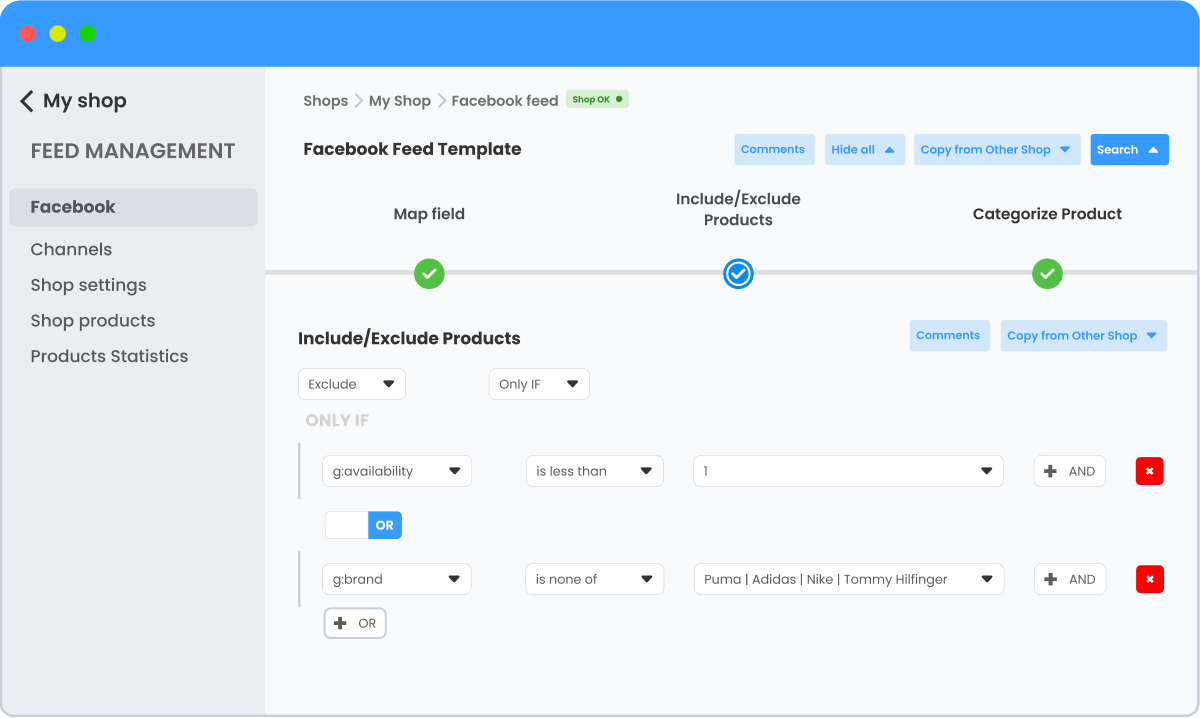
Exclude unavailable or low-margin products with smart rules

Exclude products on Facebook to prevent your ads from showing products that are sold out or have low inventory levels and automatically remove these items from your catalog until they are restocked.

You can exclude products based on their prices, profitability, seasonal relevance, and many more.

Easy products exclusions

Easy products exclusions

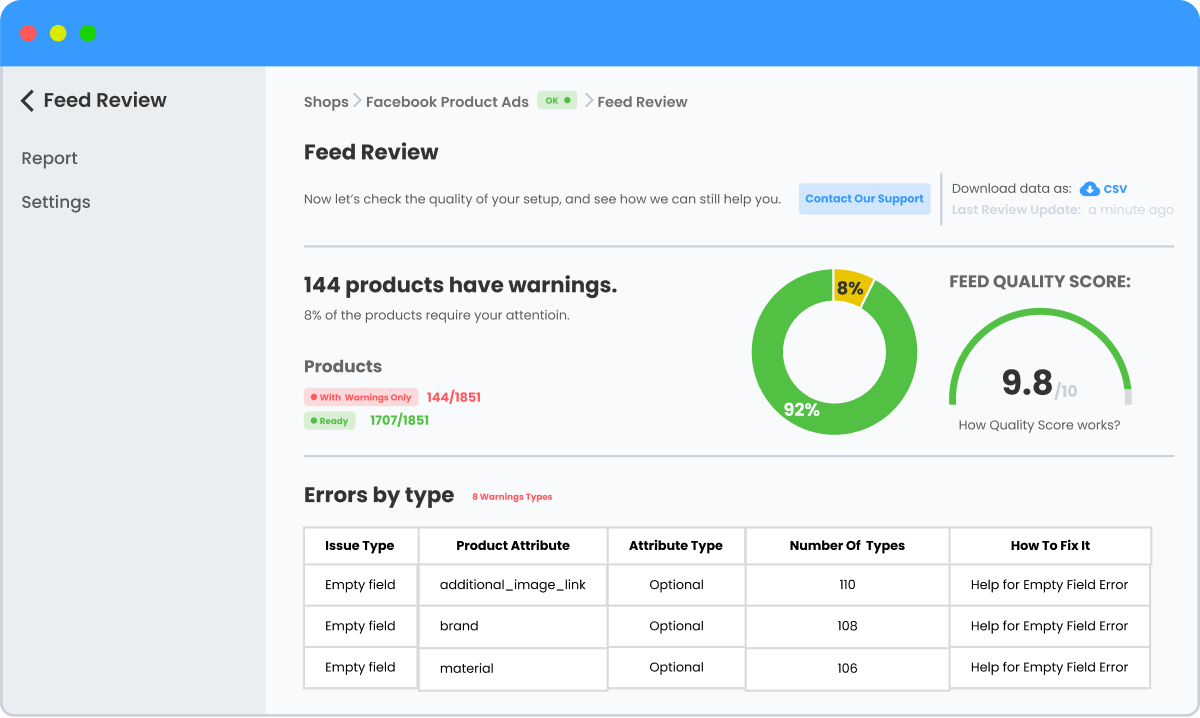
Review and sync your feed to prevent errors & outdated data

Review and synchronize your feed to avoid errors and enhance product attributes before uploading it to Facebook.

Regularly sync your store's product data with Facebook to keep vital information up to date, including changes in product availability, prices, product additions, or removals.

Reviewing & synchronizing feeds

Reviewing & synchronizing feeds

17,000+ brands worldwide trust DataFeedWatch to drive performance

  • Shopify
  • BigCommerce
  • Magento
  • WooCommerce
  • Volusion
  • opencart
  • lightspeed
  • prestashop
  • shopware

Keep your Facebook product catalog feeds always up-to-date

Connect your optimized product data from your store to Facebook

  • 1

    Connect Your Data to DataFeedWatch

    Link your product data to DataFeedWatch by importing your feed from platforms like Shopify, WooCommerce, and others. You can import various file formats: Google Sheets, XML, TXT, CSV, JSON.

    Supplement missing product data by connecting external sources such as cost or performance data.

  • 2

    Optimize your Facebook feeds

    Quickly tailor your product data to align with your goals for Facebook ads using the guided setup, ready-to-use templates, and unlimited data adjustments.

    Schedule a live session with our specialists for free to refine and enhance your product feed.

  • 3

    Review your feed and send it to Ads Manager

    The DataFeedWatch Feed Review tool examines your Facebook feed, providing a comprehensive list of any errors and precise fix instructions.

    Once you improve your feed and Feed Review doesn’t show any errors, send it to Facebook and start running your ads.

Case Studies

Optimizing various Facebook feed elements

Enhanced control and flexibility within the DataFeedWatch platform allowed for optimizing different data feed elements, resulting in a remarkable 293% improvement in overall performance.

Coalition Technology

Automating the creation of Facebook ads

Creating a Facebook Dynamic Ads feed with lifestyle product images using DataFeedWatch resulted in a 137% increase in purchase conversion rate and over 100% increase in other conversion rate metrics.

midsummer agency

Get immediate access and start optimizing your product feeds today

* Cancel anytime, no questions asked..

You might be wondering…

Yes, we’re happy to! Just let us know via the in-app form and our experts will take care of the rest. (included in all plans)

Depending on your plan of choice, you also get:

  • an onboarding session to optimize your feed together with a DataFeedWatch specialist (Merchant plan and up) and
  • a dedicated account manager to empower your feeds to a maximum (Agency plan and up).