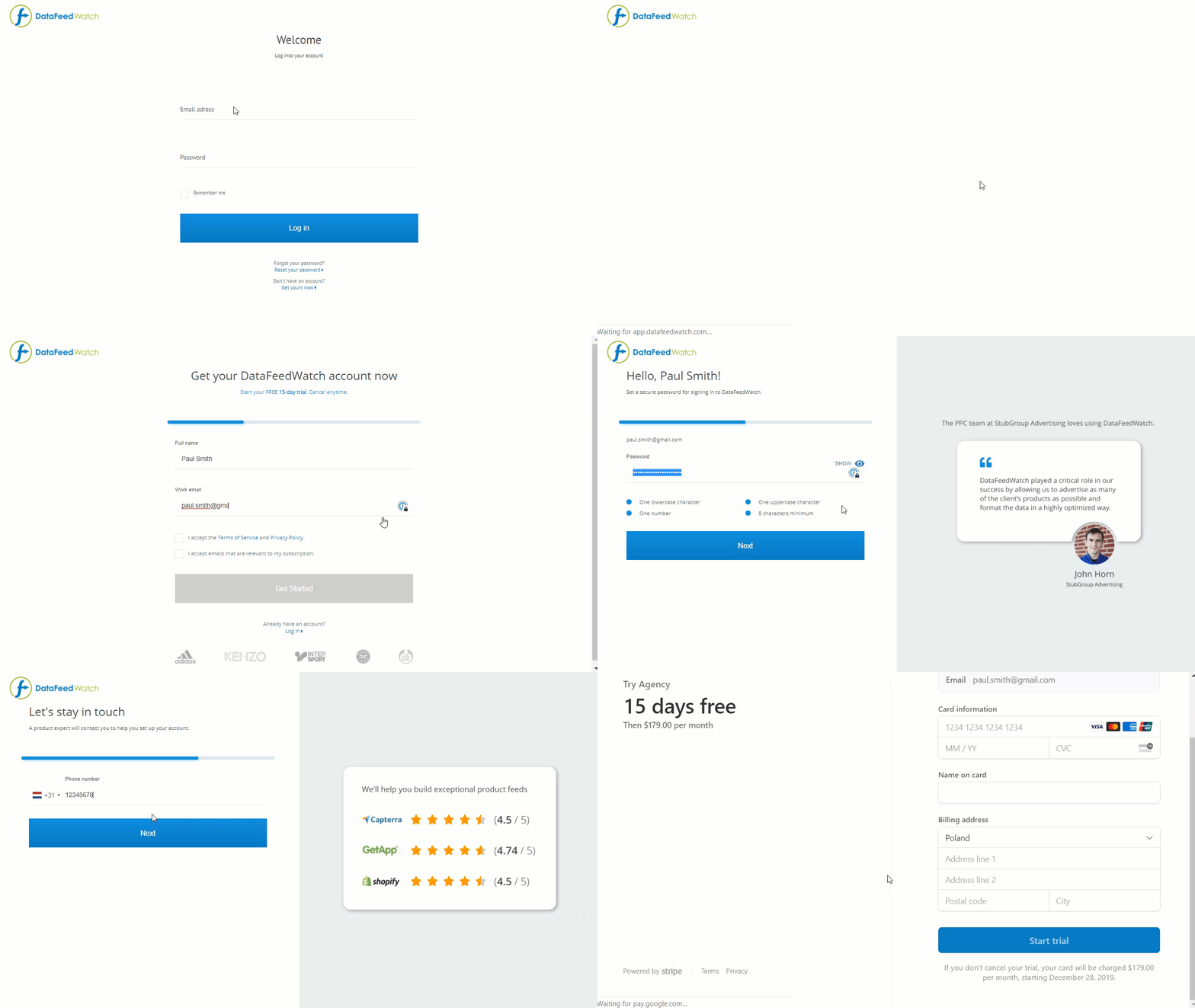
To start using DataFeedWatch, you, of course, need to sign up first. The process is really easy!
On top of that, you can benefit from a 15-day free trial period and then decide what to do next.
To sign up, follow the steps below:
-
At the bottom of the page https://app.datafeedwatch.com, click Get yours now.
-
When redirected to the pricing page, select one of the plans.
The main differences between the plans are:
- the number of shops (one, two, or an unlimited number of shops);
- the number of products (based on the number of products with SKUs in your shop);
- the number of channel feeds (three, ten, one hundred and fifty, or unlimited);
You can also change your plan at any time.
3. Provide your full name and e-mail address.
4. Accept the relevant documents, and click Get Started.
5. Secure your account with a password, and click Next.
6. Provide your telephone number, and click Next.
7. Now review your plan selection, and click Checkout via Stripe.
8. Provide your payment details, and click Start Trial.