
To add more or other images, using one of the optional fields, follow the steps below:
Please note that some channels do not accept additional images.
1. Click
Shops, and then your shop's name
2. Select your channel
3. In the
Mapping tab, scroll down to
Optional fields section

4. Click
Add optional field below
5. In the pop-up, find the image field available for your channel (such as
additional_image_link)
This field may have different names, depending on the channel.
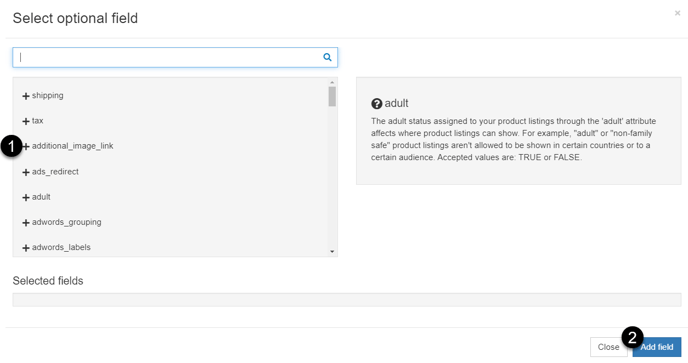
In Google Shopping and Facebook Ads, you can get more images by adding this field many times.
6. To confirm your choice, click Add field
7. Map the added field by choosing 'Use', and then the field with your image