How to enter the correct Volusion credentials in my DataFeedWatch account?
Retrieve Login and Encrypted Password in Volusion
Log in to the Admin Dashboard of your Volusion Store
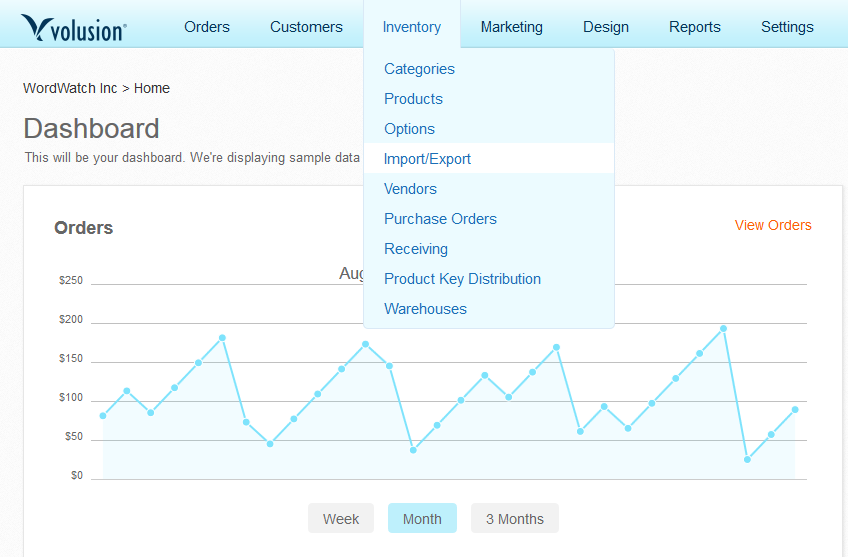
From the top menu select Inventory > Import/Export
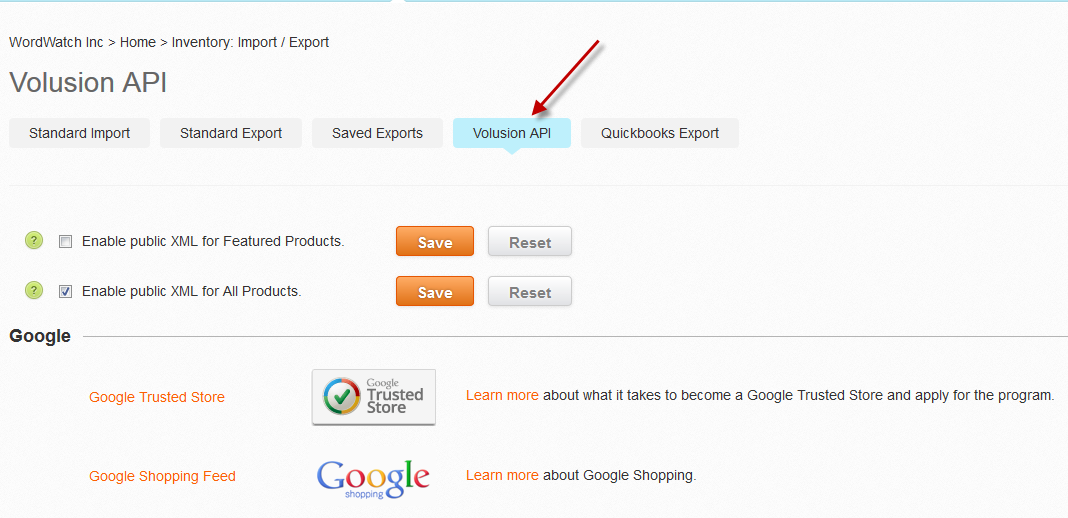
3. Click Volusion API
4. In the top right corner, click Get Help
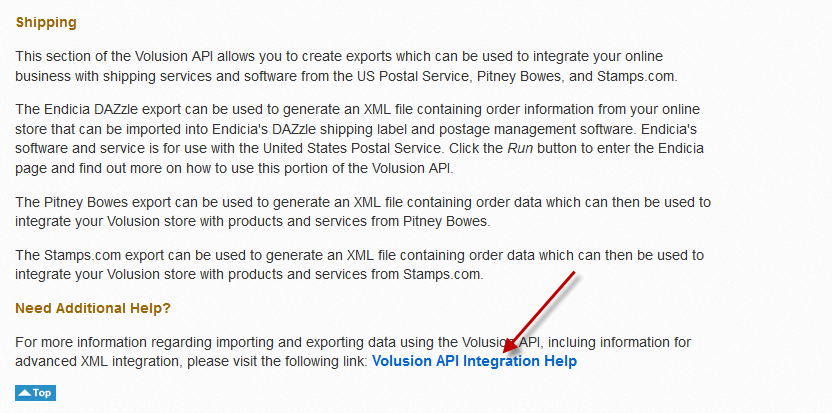
5. From the bottom of the page, click Volusion API Integration Help
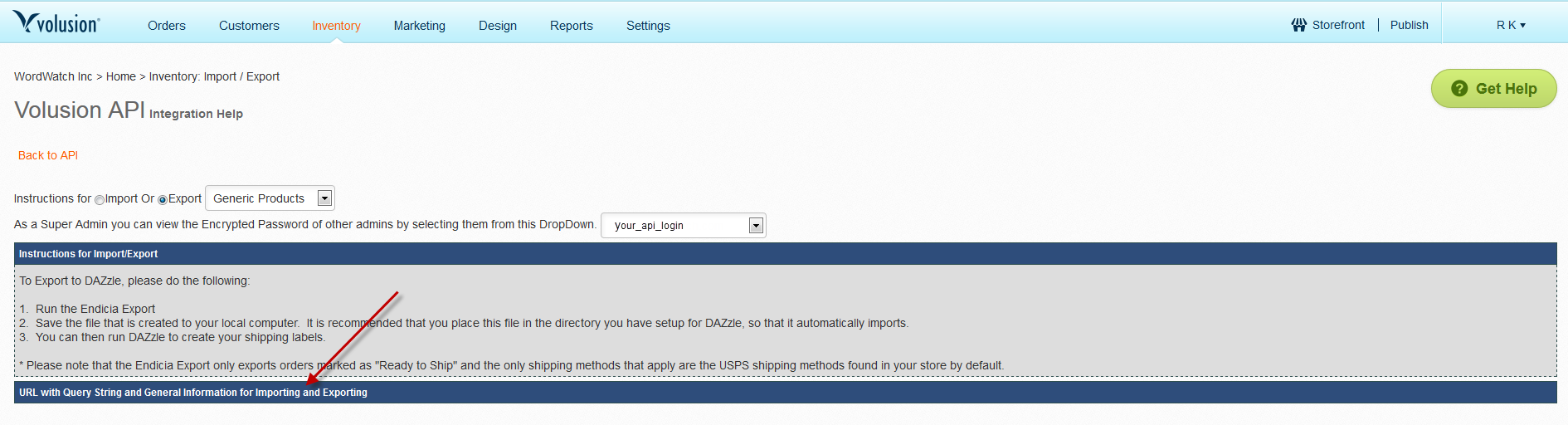
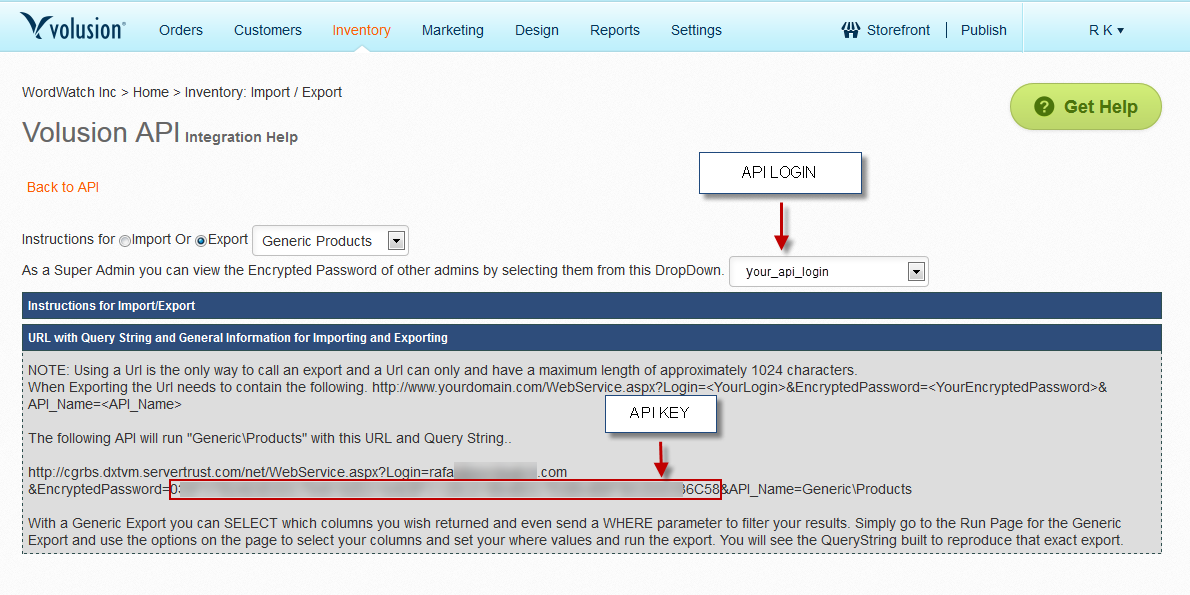
6. Select instructions for
Generic Products, and expand
URL with Query String and General Information for Importing and Exporting section
7. Retrieve
Login and
Encrypted Password (API KEY) in Volusion
Encrypted Password can be found in the URL displayed, between the EncryptedPassword= and &API_Name.
Provide Login and Encrypted Password in DataFeedWatch
Log in to your DataFeedWatch account
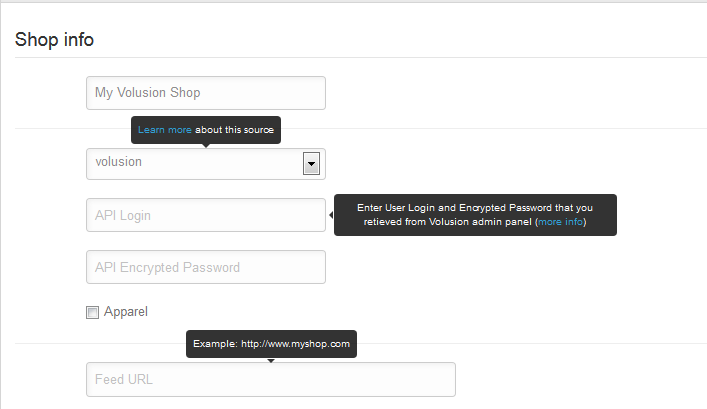
Go to Options > Edit shop
Enter your Login and Ecrypted Password
Every time you change the password to your Volusion store your API Encrypted Password changes, and you need to update it again.