-
Log in to DataFeedWatch.
-
Go to your shop.
-
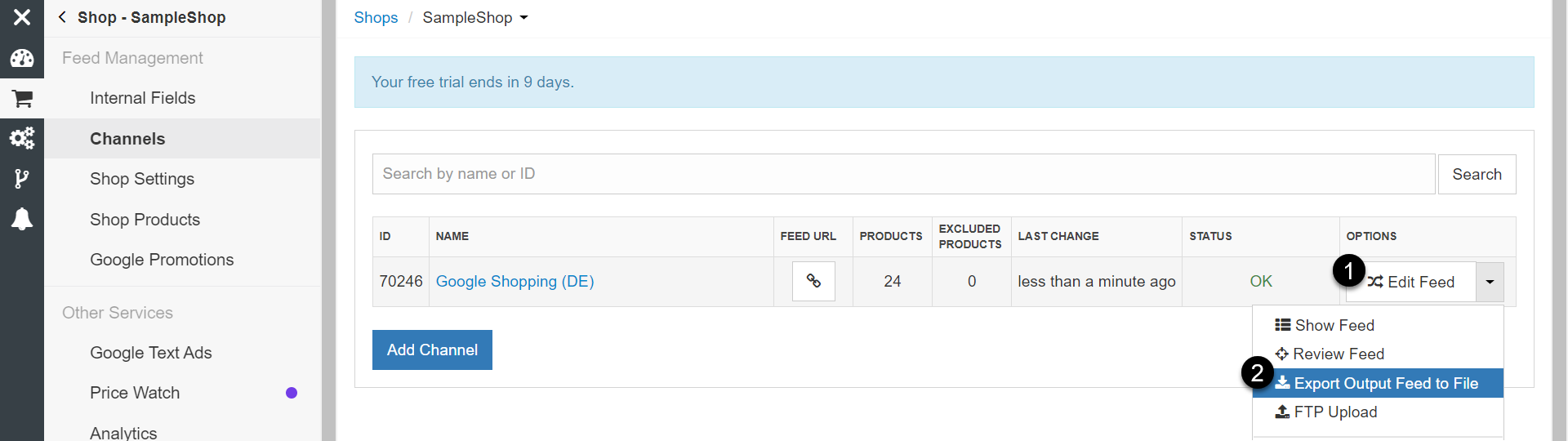
Find your Google Shopping channel.
-
To download a data feed to your local drive, click Options > Export Output Feed to File.
First, make sure that the status is OK.
5. Log in to your Google Merchant Center.
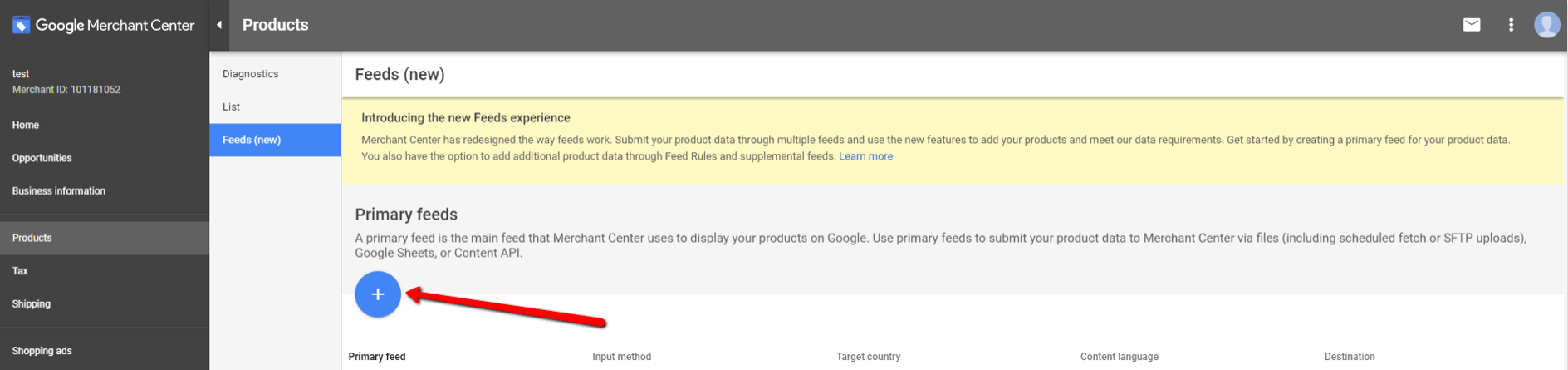
6. Go to Products > Feeds, and add your feed.
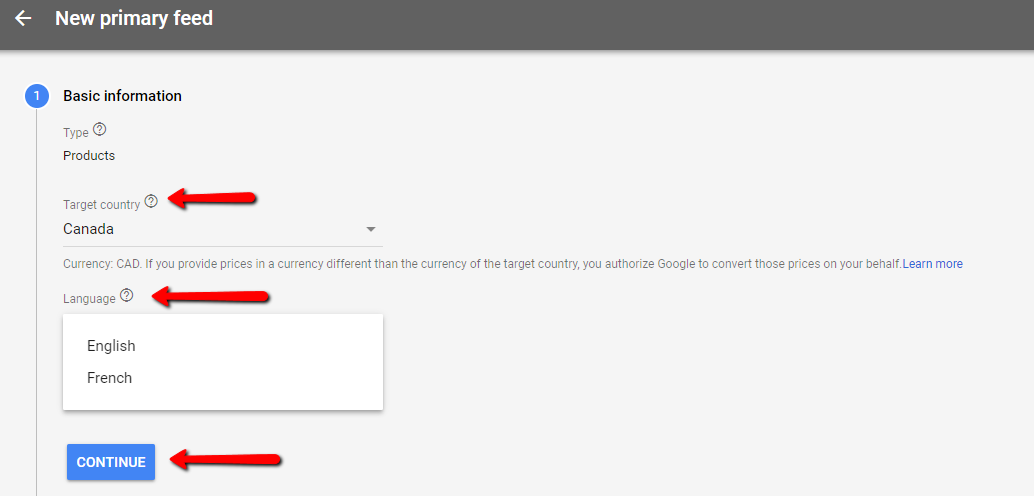
7. Choose your target country (and language).
8. Click Continue.
9. Click Upload, and then Continue.
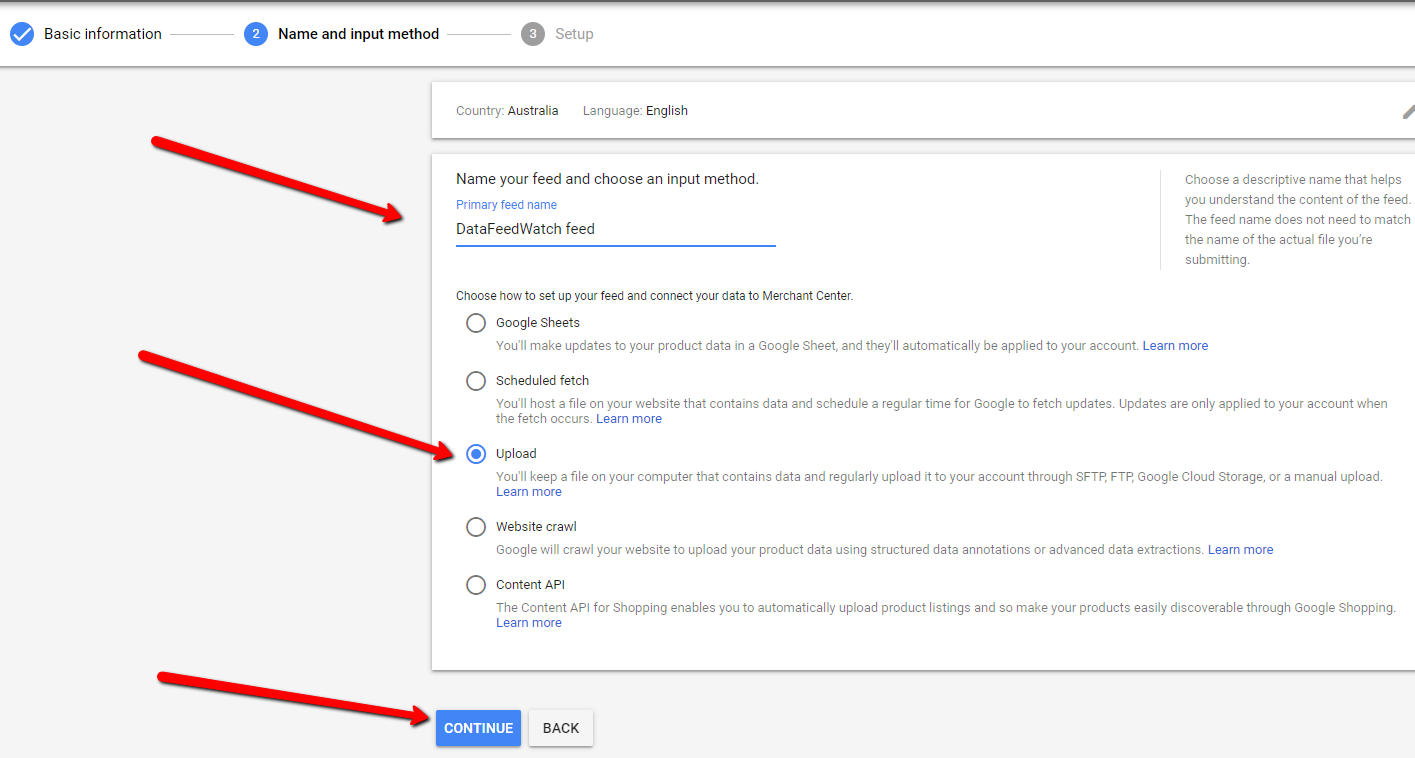
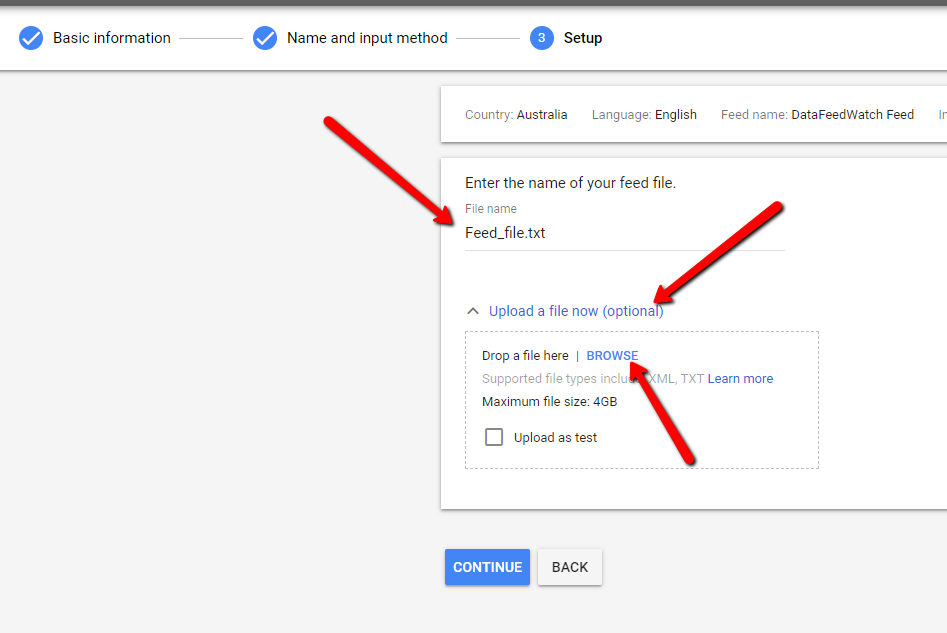
10. Provide your File name.
11. Click Upload a file now (optional).
12. To select a file from your computer, click Browse.
13. Click Continue.