
We’re sorry to see you go! To ensure your account is fully closed and no further charges occur, please follow these two steps:
1. Cancel your DataFeedWatch subscription:
-
Log in to your DataFeedWatch account.
-
In the side navigation menu, click Account Settings.
-
Navigate to the Plans.
-
On the bottom left (under the Plans table), click Unsubscribe from DataFeedWatch.
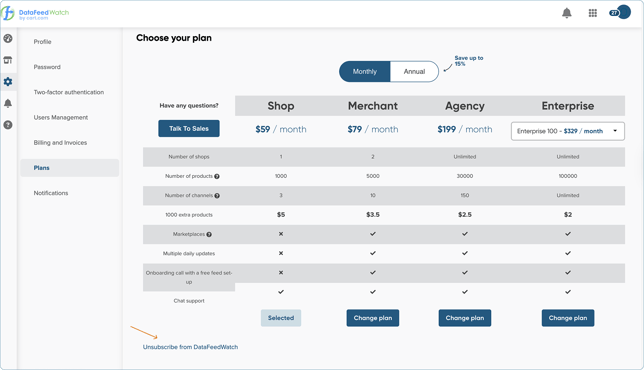
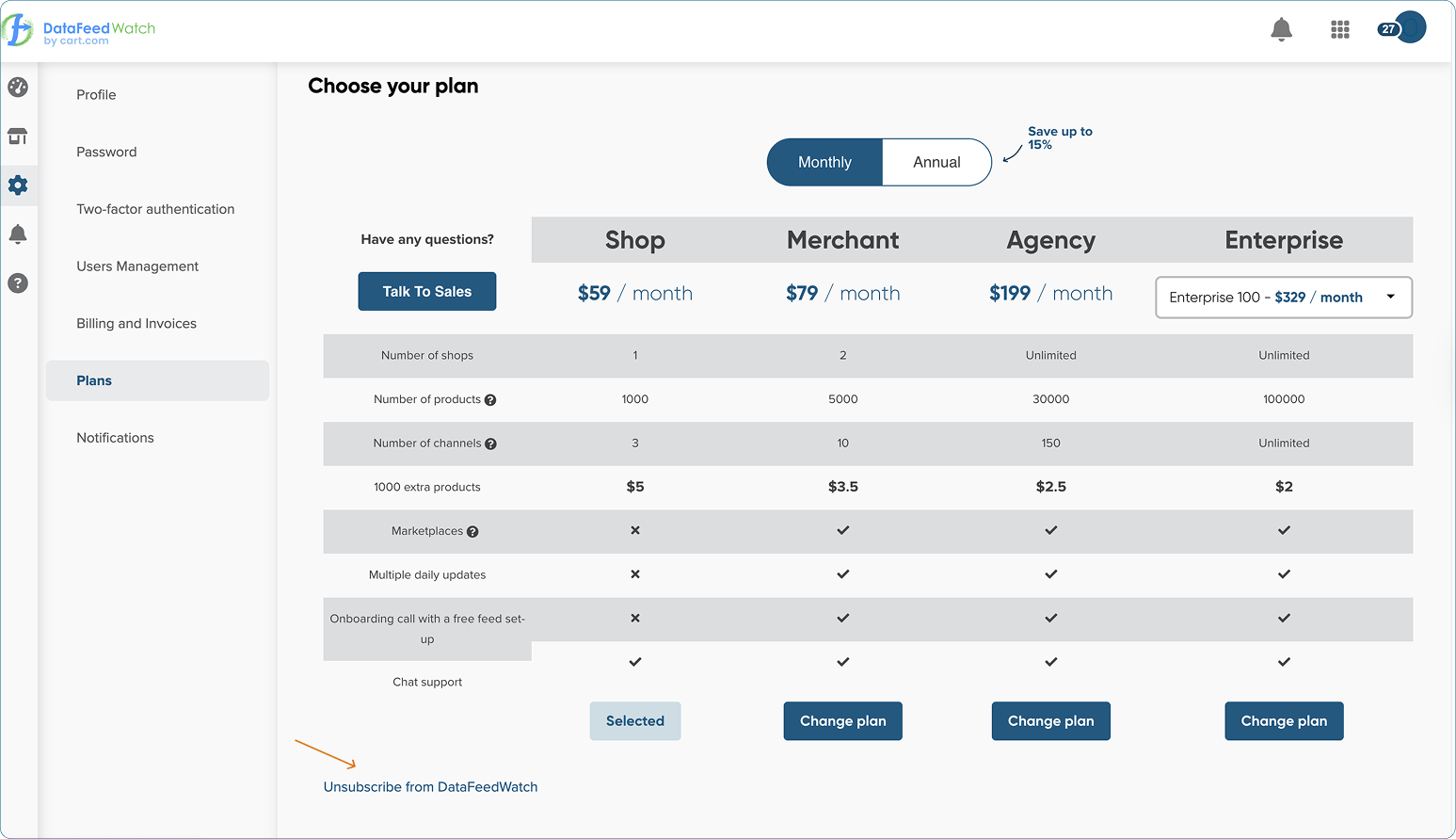
5. Before completing the cancellation, please select a reason for ending your subscription. That helps us improve for you 💙.
6. Choose a reason from the list and click Cancel subscription to finalize the process.
2. Uninstall our app in Shopify.
-
Go to your Shopify Admin.
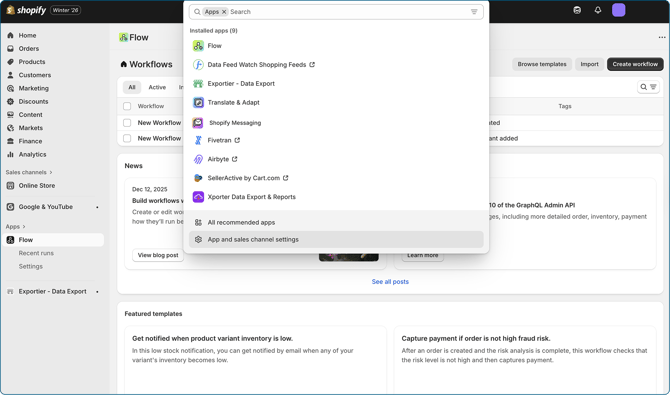
- From the left-hand navigation, click on Apps.
- When the drop-down menu opens, select App and Sales Channel settings.
.gif?hsLang=en)
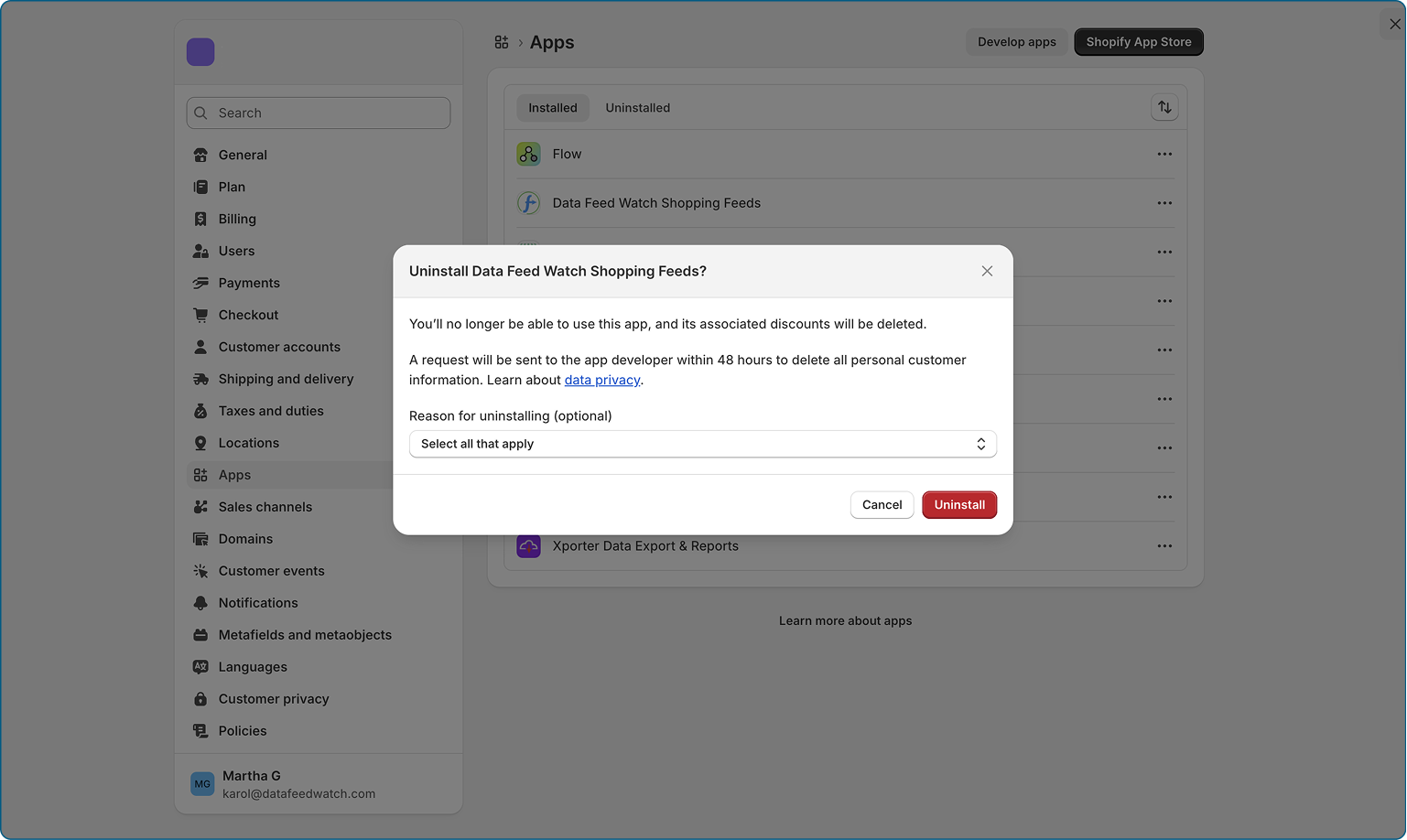
4. Find Data Feed Watch Shopping Feeds.
5. Click on the "..." menu.
6. From a drop-down, select Uninstall.
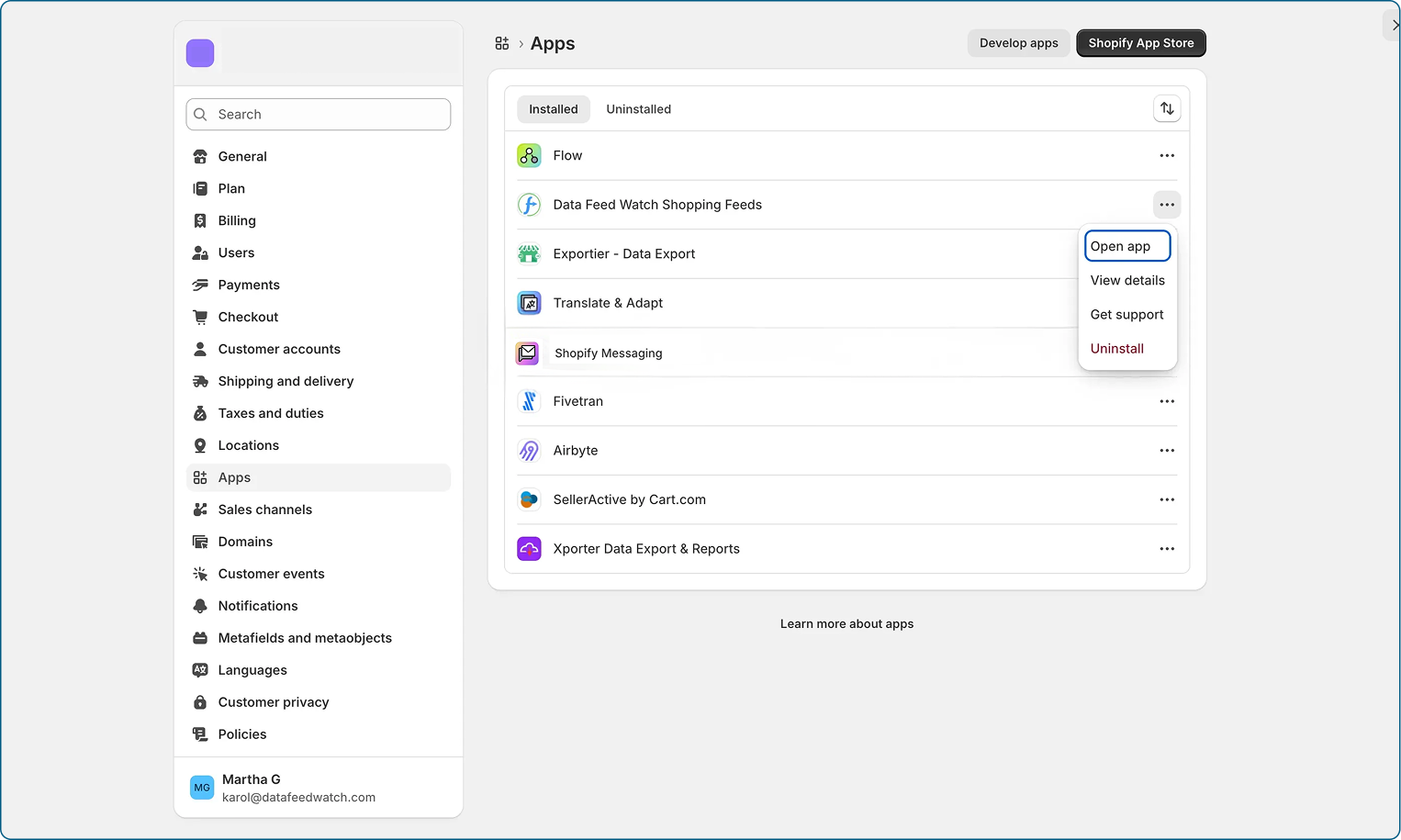
7. Select a reason for uninstalling (optional), and confirm your decision by clicking Uninstall.
Your DataFeedWatch subscription is completely cancelled.