Exclude Associated Variants
You can use this to exclude all the products if a percentage of the variants is out of stock. Or if your most sold size or color of a product is out of stock.
ExampleLet’s say you are selling sandals and your most sold size is 38 on a certain model, you can exclude all the sizes of the given product until you restock again.
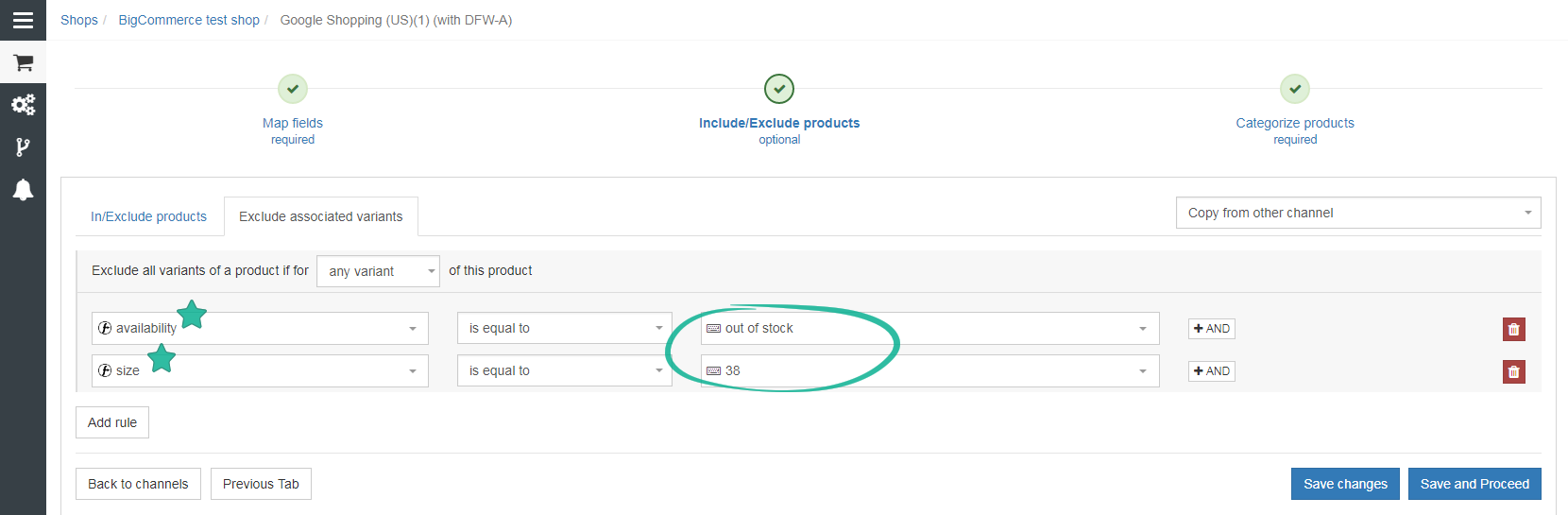
Please note that the percentage you set refers to the percentage of variants (3 out of 5 variants) not the percentage of products (quantity).
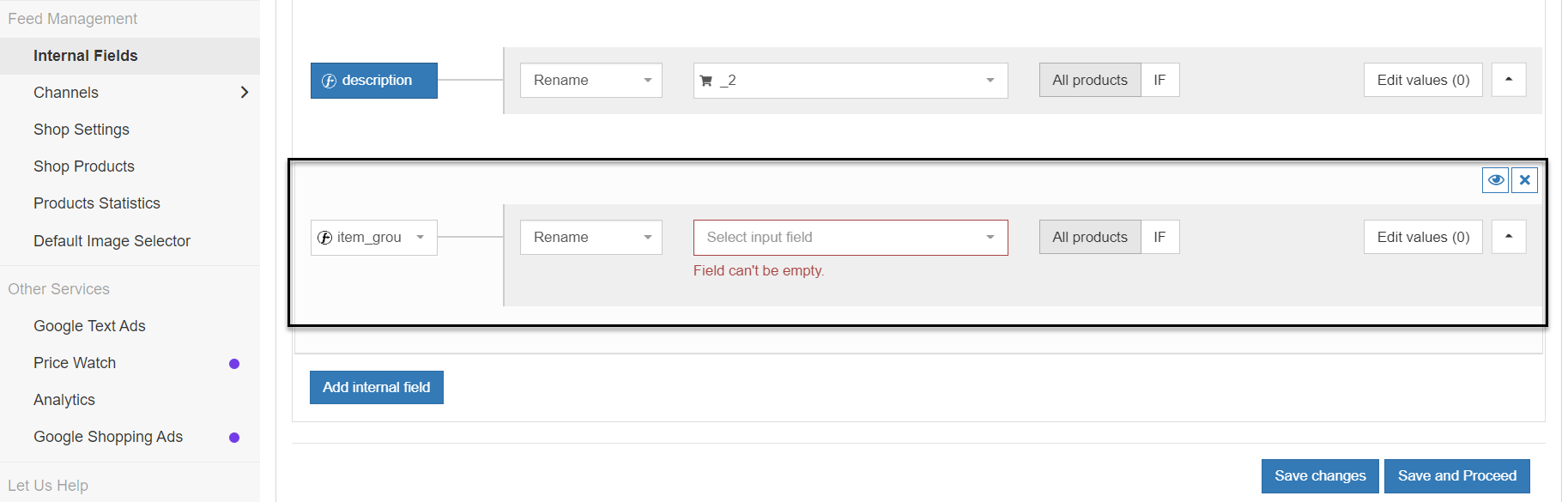
Map the Item_Group_ID to Exclude Product Variants
- In your shop, go to the Master Fields
- Map the item_group_id
- Go to your channel
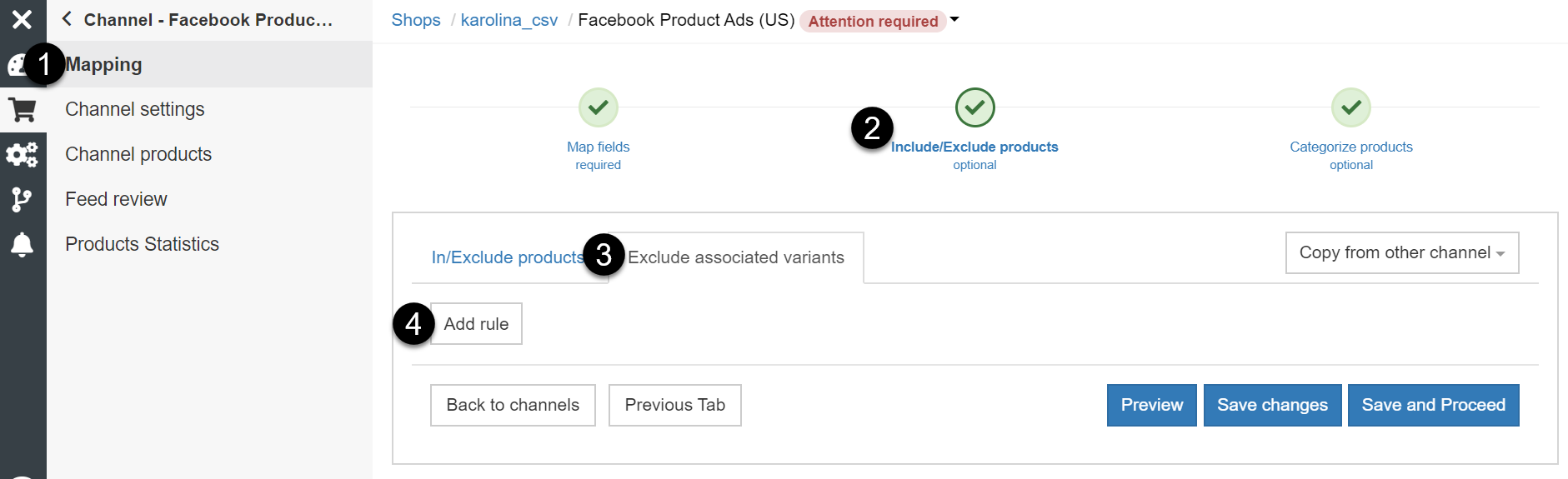
- Click Mapping > Include/Exclude products > Exclude associated variants
- Add the rules you need, and then click Save changes