
-
Log in to your DataFeedWatch Dashboard, and then click Add shop.
-
Provide a name for your shop.
-
Select Magento.
-
In the Shop URL field, provide your shop’s domain name.
-
Check the I have multiple store view checkbox.
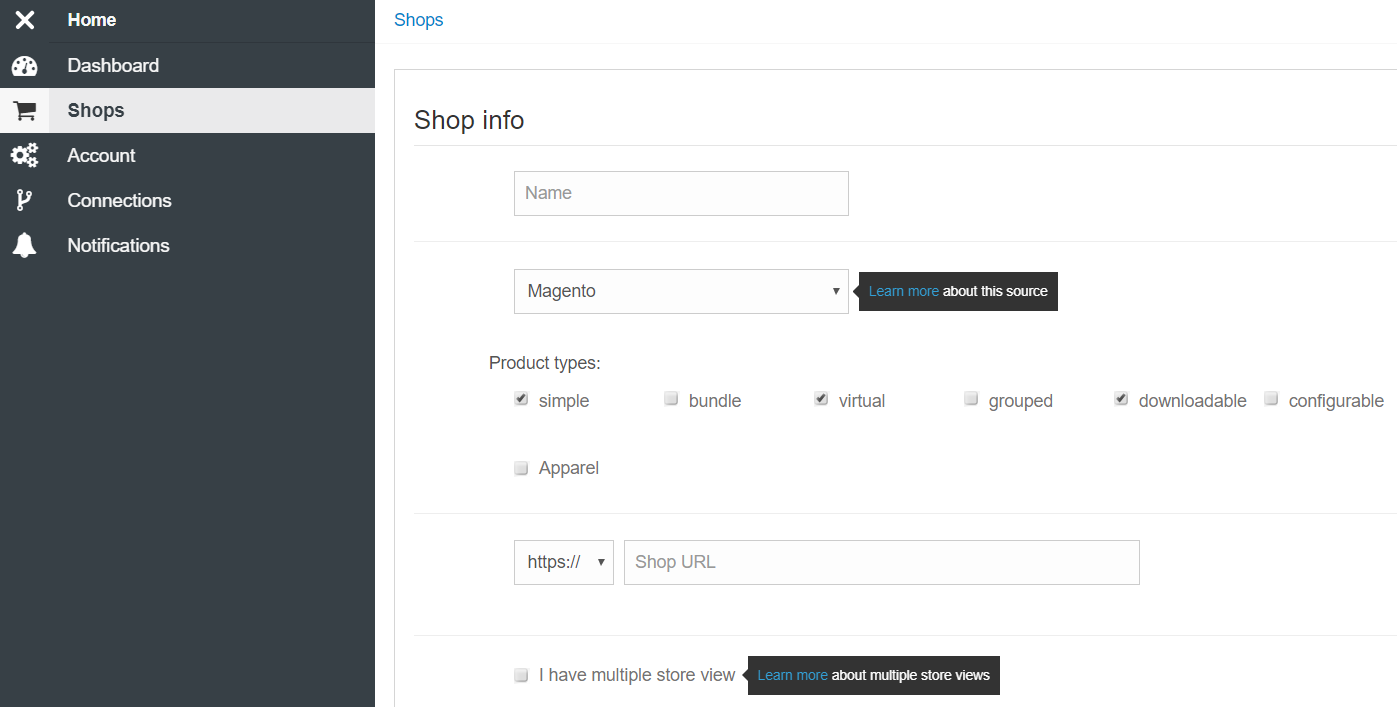
6. At the bottom of the page, click Create Shop.
7. Click the Install button next to your shop.
8. In the grey pop-up window, two options will appear.
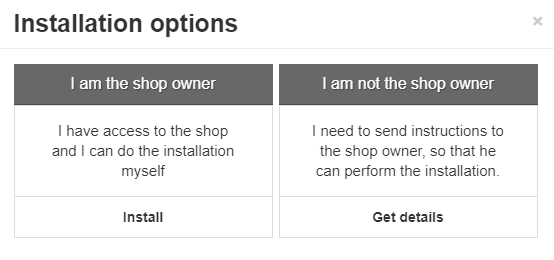
9. Click Install.
10. Log in to your Magento Admin Panel.
11. Go to System > Magento Connect > Magento Connect Manager.
12. Go to System > Datafeedwatch, and click Open.
If you are not logged in to DataFeedWatch, you need to sign in to proceed.
13. Select your store view from the dropdown list, and click Save
14. Wait for the DataFeedWatch to download your products.
Adding another store view as a separate shop
-
Go to your DataFeedWatch dashboard and click Add Shop.
-
Provide a name for your shop.
-
Select Magento.
-
In the Shop URL field, provide your shop’s domain name.
-
Check the I have multiple store view checkbox.
-
Select your store view from the drop-down list.
-
Click Create shop.
-
Wait for DataFeedWatch to download your products.