
Let's take a closer look at how to build your data feeds in no time for Marktplaats.nl and how this integration is going to make things easier for all online merchants selling their products in The Netherlands and Belgium.
Full category specifications for effortless category matching
Because Marktplaats.nl has several dozens of main categories that have their own set of sub-categories and corresponding field specifications, we have added specific presets for categorization to make the process straightforward. Matching your products to their taxonomy is going to be easier and faster because you no longer need to add custom fields and find all necessary specifications from the Marktplaats.nl documentation.
Processing reports for real-time insights
You will receive a report by email that tells you if the processing was successful, and in case it was not it will indicate all errors that might have occurred. With this real-time information, you can fix any error in your feed immediately.
When building your data feed for Marktplaats.nl we will help you to configure all fields according to the requirements of Marktplaats.nl. For example setting an allowed bid, which is different for a lot of sub-categories or setting the right shipping costs or delivery method.
Get started
Follow the steps below to build your data feed for Marktplaats in less than 5 minutes.
1. Click Channels from the shop that you would like to add the template for.
2. Choose Add channel and select The Netherlands from the country list.
3. Select the Marktplaats.nl / Admarkt API template from the list.
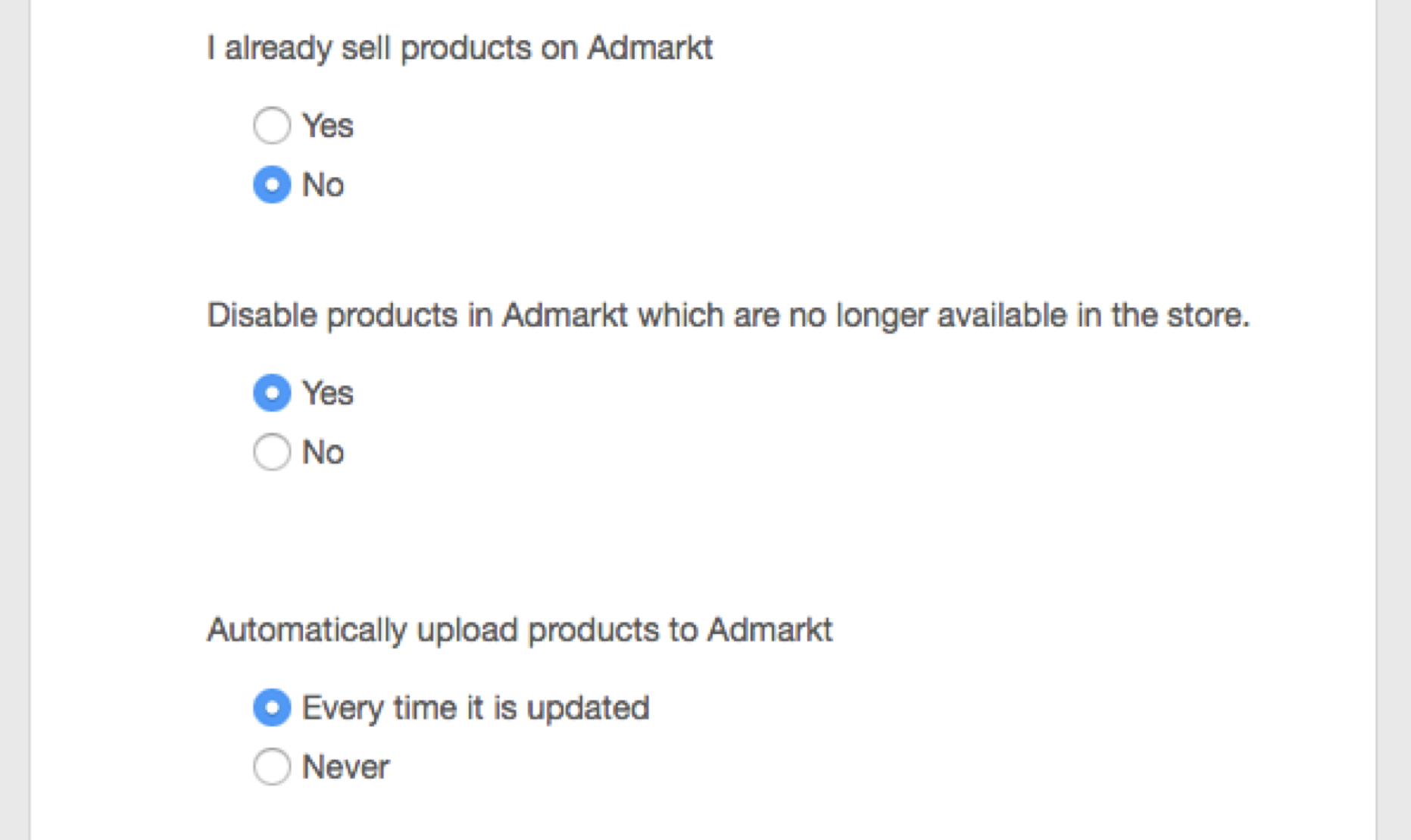
4. Fill in the appropriate settings asked:
- If you are already selling products on Admarkt we will download your existing ID’s.
- Choose if you want us to disable products on Admarkt that are not in your input feed.
Specify if you want us to upload products to Admarkt every time your feed is updated;
- Select the field from your input feed that we should use to match external ID’s
- Specify the email address where you want to receive processing reports at
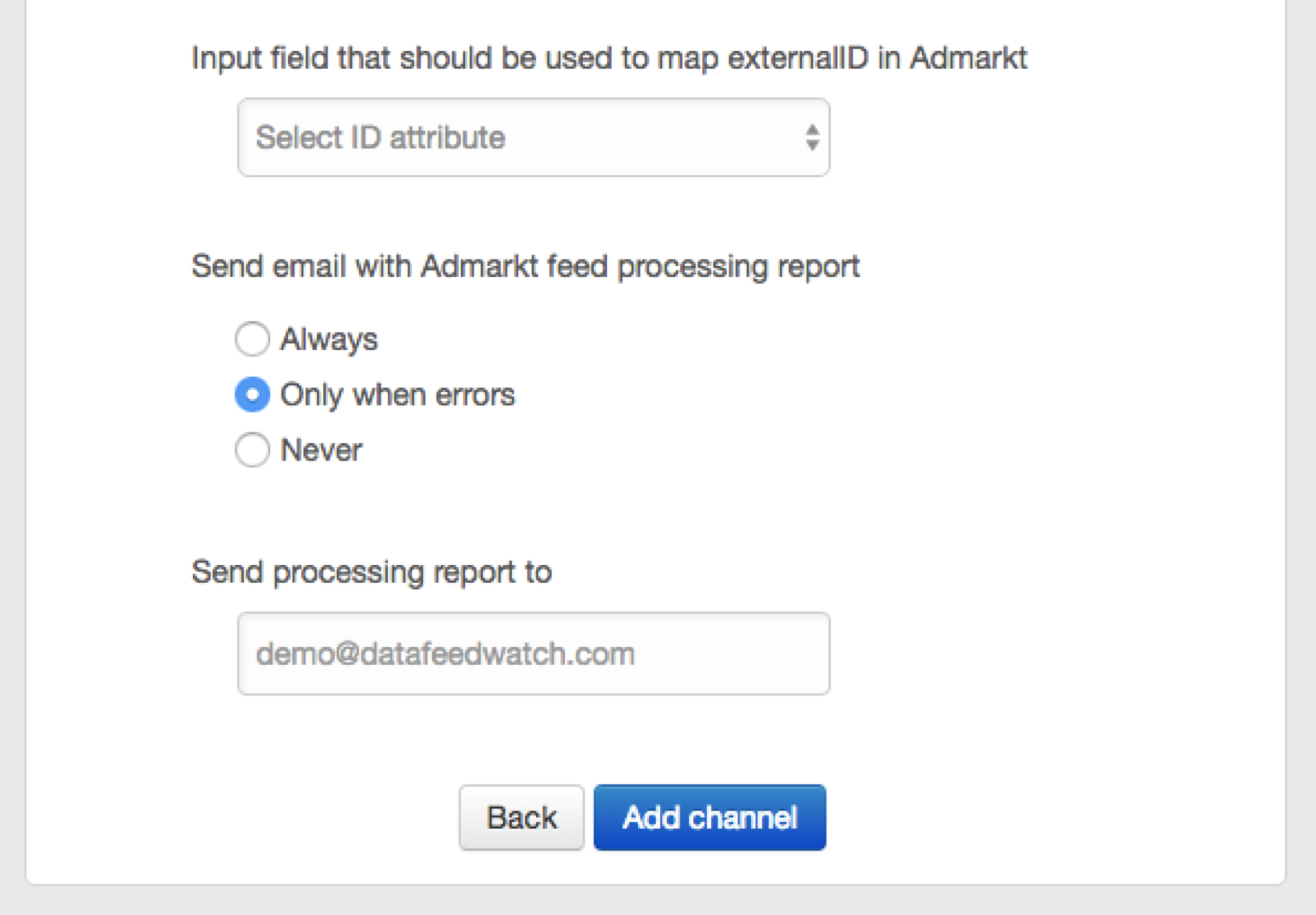
5. Click the Add channel button.
6. Click the Install button from the new channel.
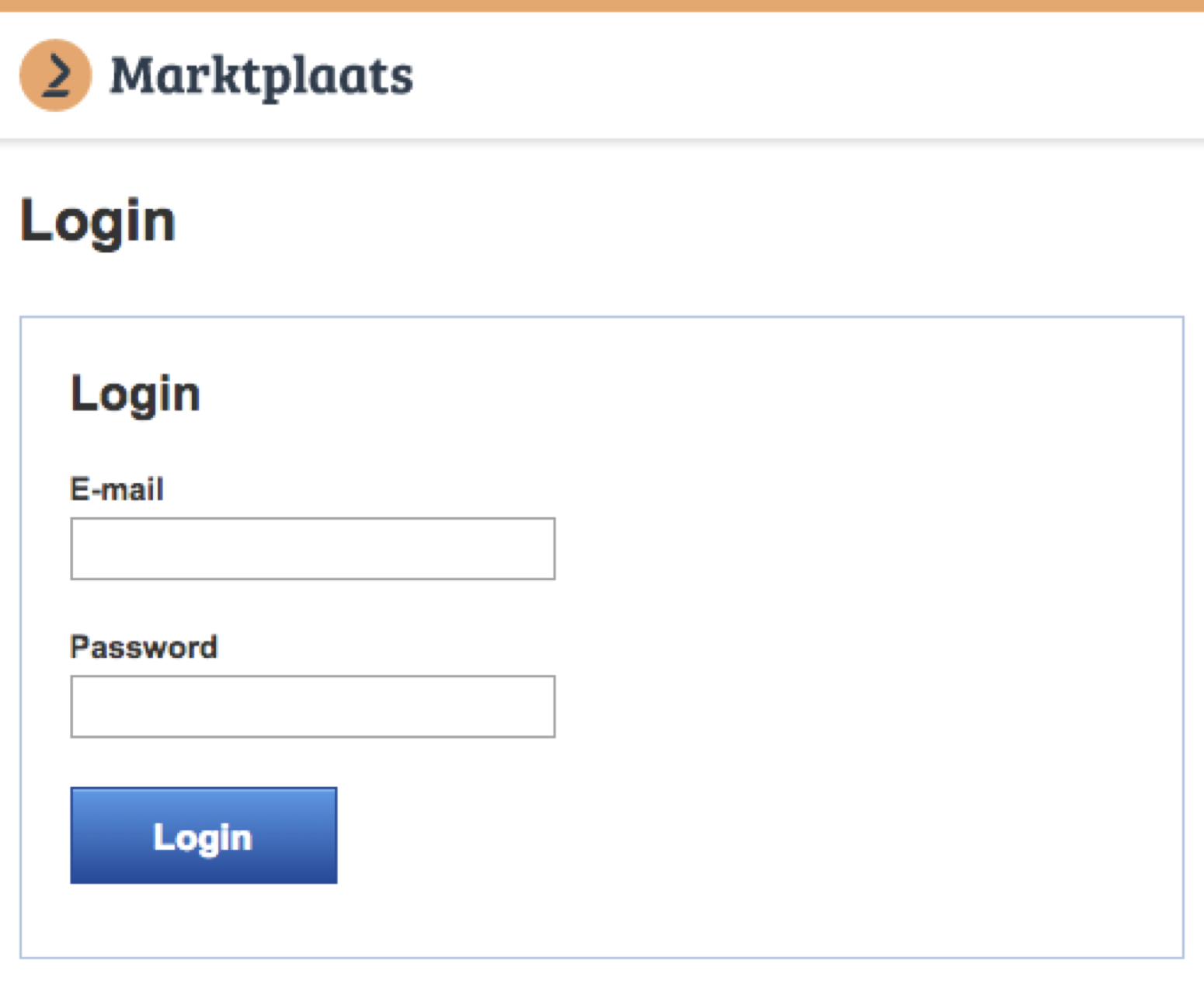
7. Fill in your Marktplaats.nl credentials and grant access to your DataFeedWatch account.
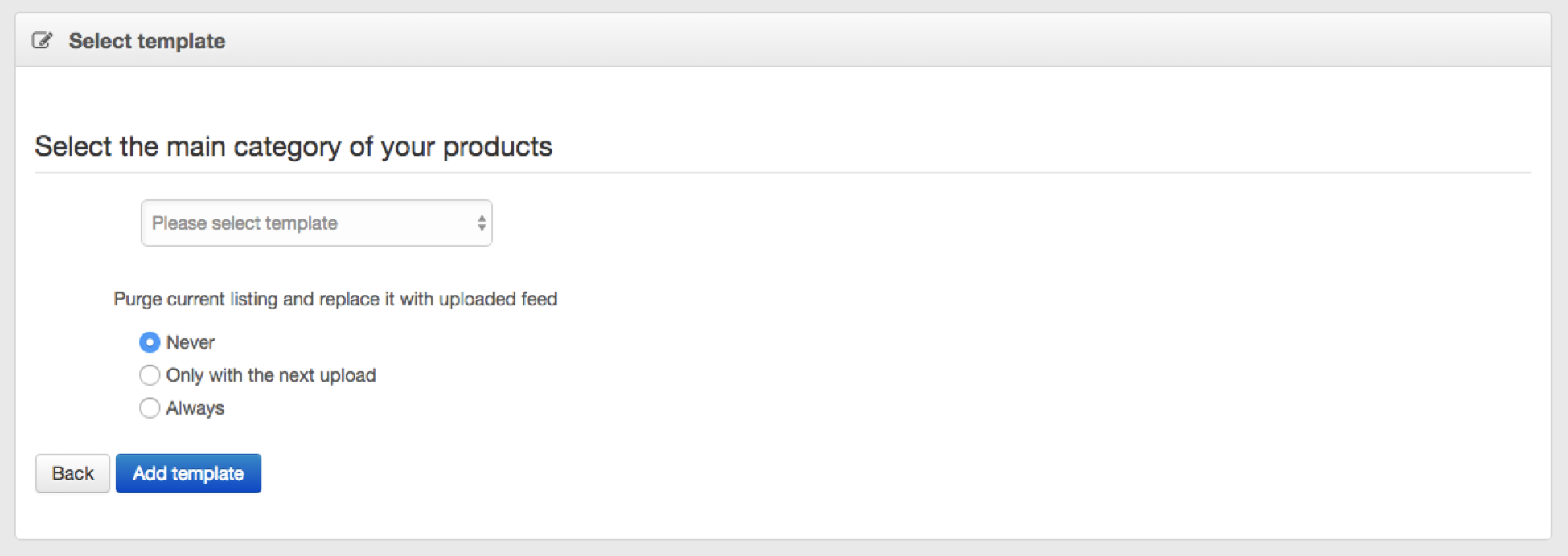
8. Click Templates -> Add template.
9. Select the relevant main category for your products.
10. Click Add template.
11. Start building your feed by mapping your fields.
12. When you are using multiple main categories, just add more templates.
Our file Creating a data feed step by step will show you all you need to know about mapping fields, in/excluding products, and adding sub-categories.
Migrating
If you are using the previous Marktplaats.nl template and want to migrate to the new API-driven template, you can easily install the new Marktplaats.nl API and start adding the main category template(s). The only thing you need to pay attention to is to make sure you select some settings to prevent overwriting your existing Marktplaats.nl feed before finishing your new one(s)
- Select Never when asked to Automatically upload products to Admarkt.
- Use the Save button instead of the Save & Proceed button.