
Bol.com Offers Feed allows you to list the products you previously sold on Bol.com.
To add completely new products to Bol.com, refer to Adding Bol.com Content Feed.
To add Bol.com Offers Feed, follow the steps below:
-
Log in to your DataFeedWatch Account.
-
Click on your shop's name.
-
Click Add channel.
-
Select the country (Netherlands or Belgium), and choose Bol.com – Offers Feed.
-
Provide your Bol Seller's Production API Credentials.
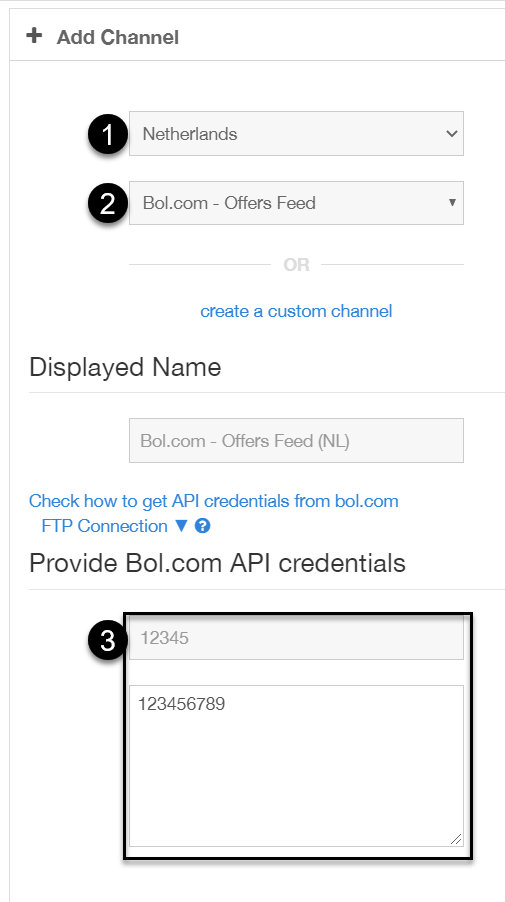
To find out how to do this, refer to Authentication: Client Credentials Flow.
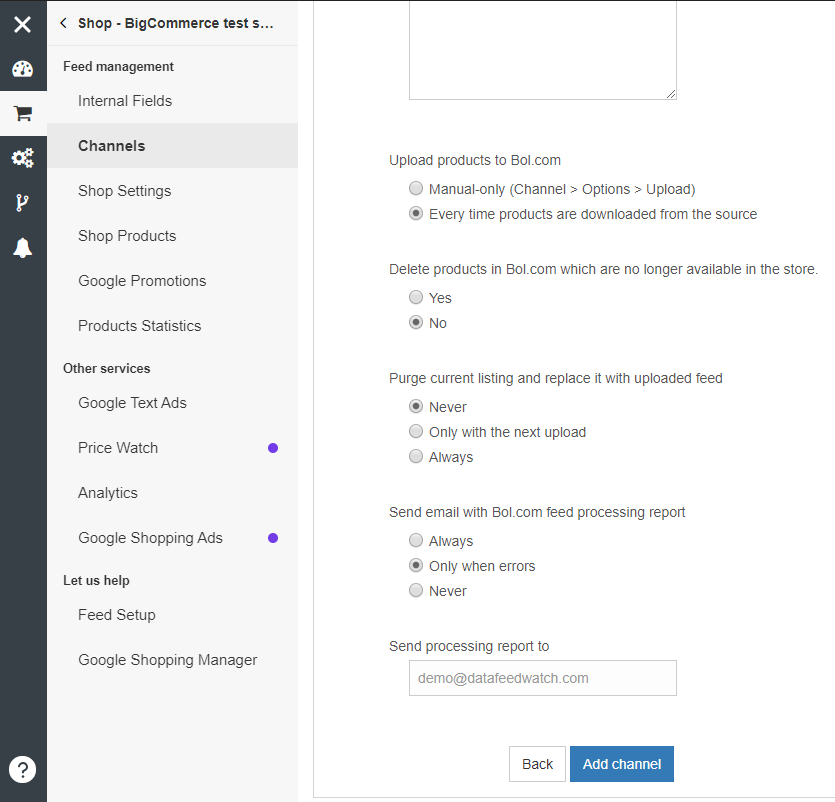
6. Click Add Channel.
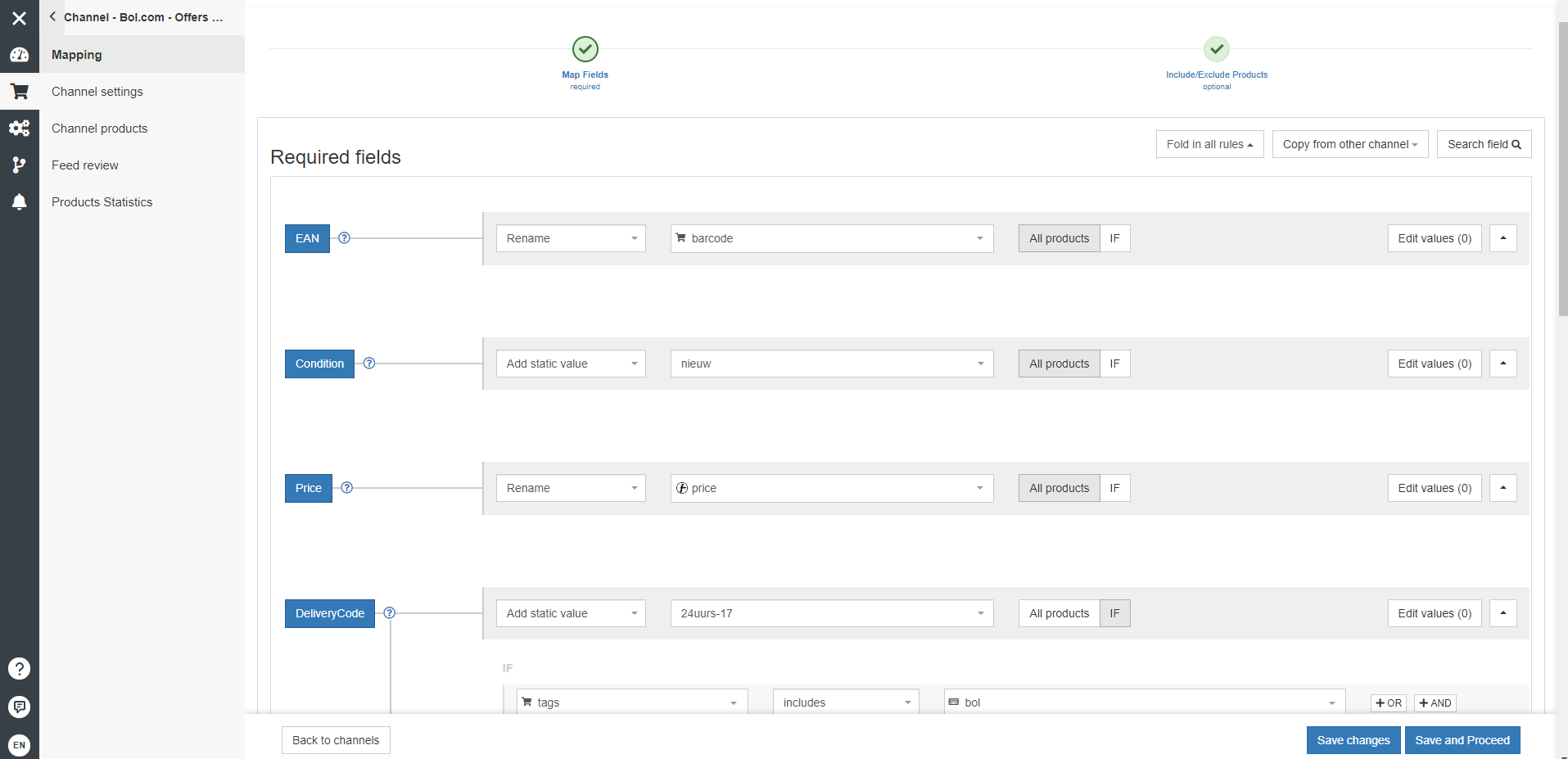
7. In Map Fields tab, fill in the required fields.
8. Now choose if you'd like to send all the products to Bol.com via API, or only specific ones.
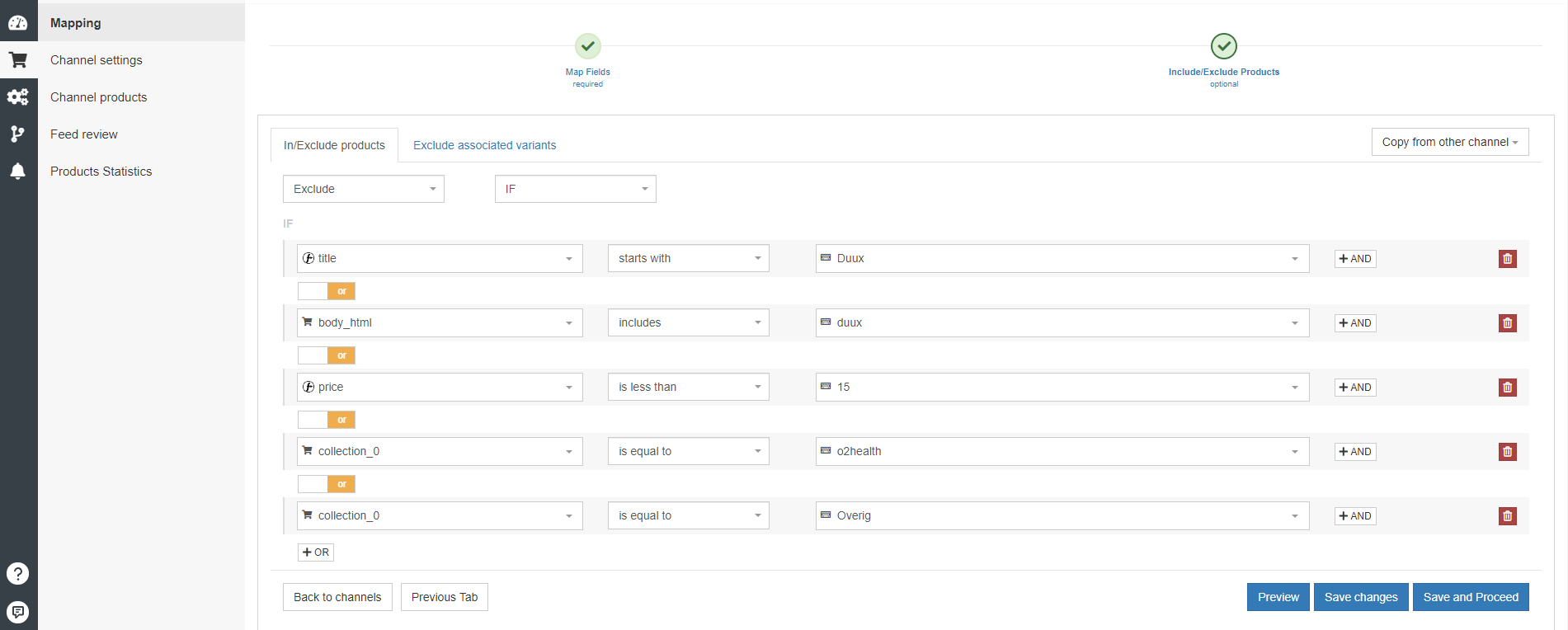
Only send products or a set of categories of products to Bol.com if you are sure that Bol.com knows the GTIN of it.
If you have self-made products then this will probably be the case, if it is, send those products using "Bol.com Content Feed". In this feed you'll need to provide all the required fields like "title", "image link", "Product classification", etc.
9. Now you only need to make sure you have a Bol.com - Content Feed channel.