- Log in to DataFeedWatch.
- Go to your shop and find your channel Bing.
- To copy the URL of your feed, click the link icon.

The output feed URL is not generated until mapping of the feed is completed.
4. Log into your Bing Merchant Account.
5. Go to Tools > Catalog Management.
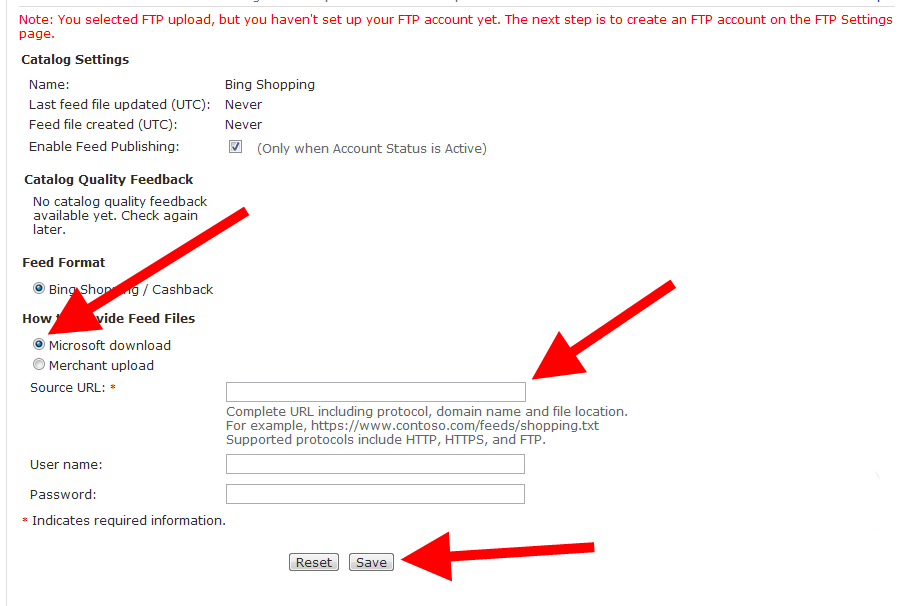
6. Select the option Microsoft Download.
7. Paste the URL of your feed and click Save.