
What can you do to solve the 404 Not Found error?
To solve the 404 Not Found error, follow the steps below:
- In the DataFeedWatch, click Shops.
- In the options column, click Edit Shop.
- Copy the source URL of your feed and open it in your browser.
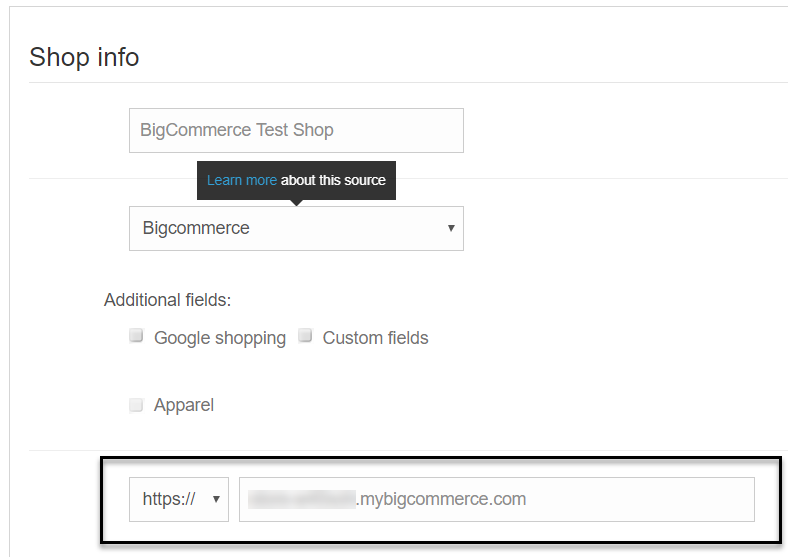
4. If the link doesn't open, please try to correct it.
5. Paste the corrected address on the Edit Shop page.
6. Click Update shop.
7. In the options column, select Import Input Feed from Shop from the drop-down list.
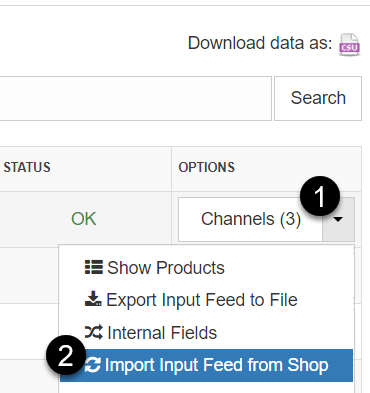
Wait for the DataFeedWatch to download your products.
If your products are still not downloaded, please do not hesitate to contact us.