
To create your Landing Page Campaign, follow the steps below:
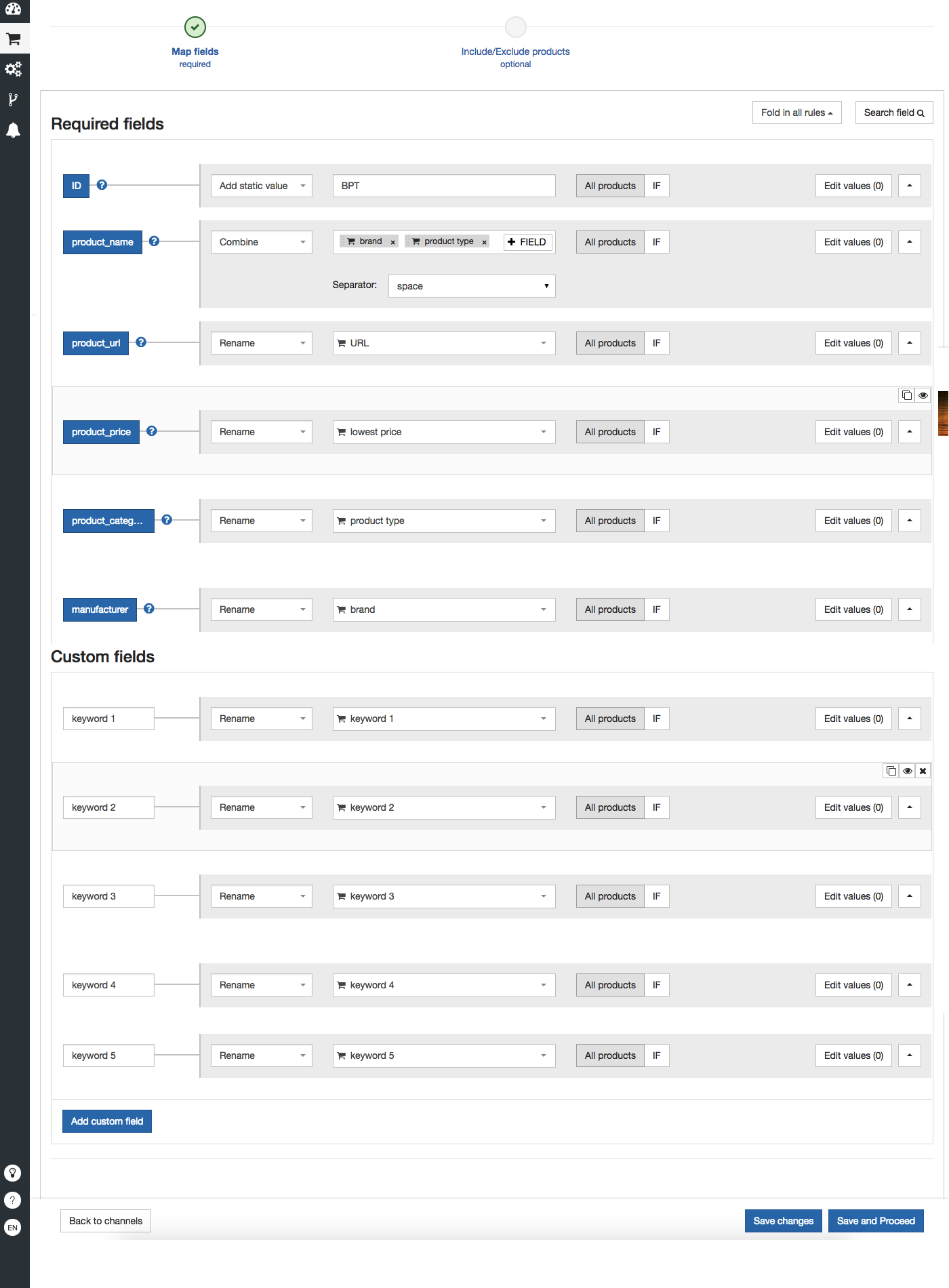
- Create a Google Sheet (or a CSV) with the following columns:
- Product type or brand or whatever group you have the landing pages for
- Landing page
- Lowest price
- Keywords

2. Add a shop in the DataFeedWatch with that Google Sheet as source.
3. Create a text ad feed for this shop.
4. Next, Connect to the same Google account as for your other campaigns.
5. Create a Landing Page campaign by adding a new product campaign (not a copy of the previous product campaign) with the following settings:
- Keywords: do not use truncation but create keywords by tag combination
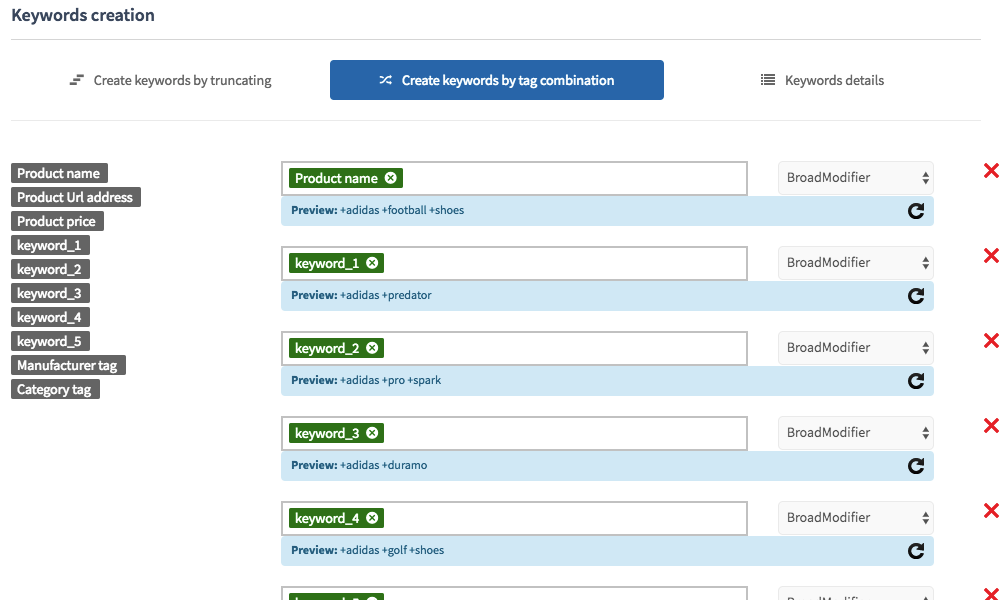
This campaign will create an ad group for each product type/brand with the corresponding landing page.