
Bol.com Content Feed allows you to add completely new products to Bol.com.
To list your products on Bol.com, refer to Adding Bol.com Offers Feed.
- Log in to your DataFeedWatch Account.
- Click on your shop's name.
- Click Add Channel.
- Select the Country, and then Bol Content Feed.
- Provide your Bol Seller's Production API Credentials.
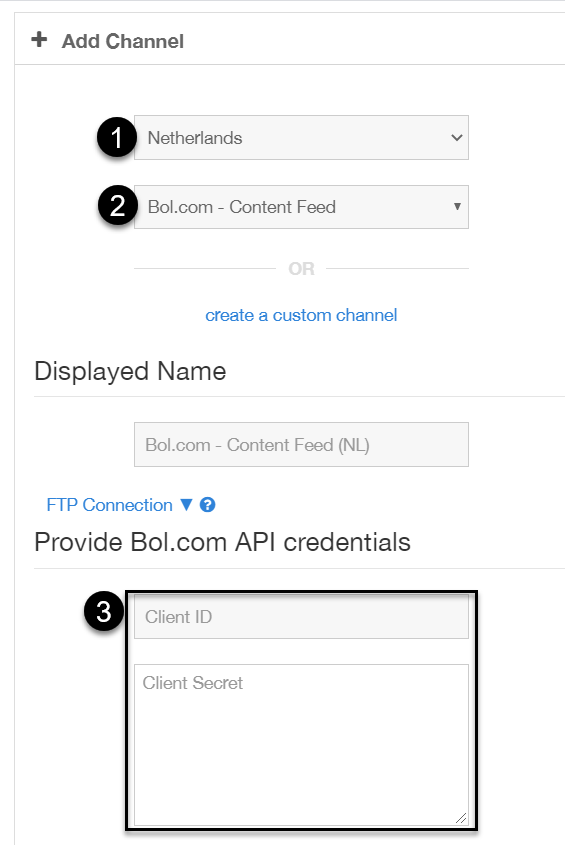
To find out how to do this, refer to Authentication: Client Credentials Flow.
6. Click Add Channel.
7. In Mapping tab, provide the correct GTINs (EANs) of your products.
8. Add the correct product categories.
They are very strict on their product categories, so download the file from the given URL and look manually for categories that seem to fit yours. The file is big, so we recommend opening it using Notepad++ or similar application: https://developers.bol.com/datamodel/
9. Exclude products that have no GTIN (EAN) or don't have your shop categories selected.