
This procedure applies to Magento and later versions.
If you upgrade to Magento from previous Magento versions, please get in touch with our support to change your shop source.
To configure the Magento Inheritance Settings, follow the steps below
-
Log in to your DataFeedWatch Account.
-
Click on your shop's name.
-
In the left pane, click Shop Settings.
-
To select the relevant options, go to the Magento Inheritance Settings section.
You can switch between the following options:
- Parent—this option means we will collect information from your Magento parent product;
- Child—this option means we will collect information from your Magento child product;
- Child then parent—this option means that we will collect information from your child product, and if some information is missing, it will be collected from your Parent product.
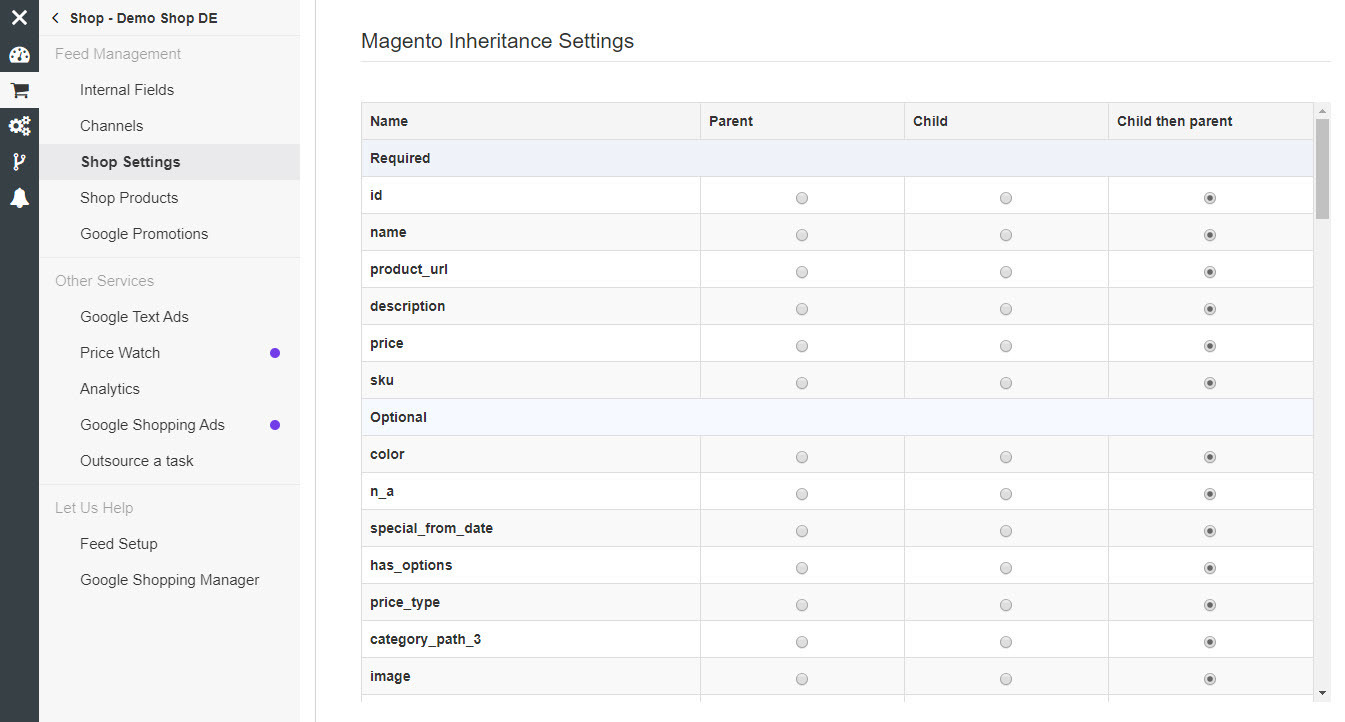
Note that you need to download the products again after you change those settings.