
From time to time, you may ask DataFeedWatch for support. Then, to be able to help you better, we may need to get access to your Google Merchant Center.
To grant DataFeedWatch access to your Google Merchant Center, follow the steps below:- Sign in to your Merchant Center account.
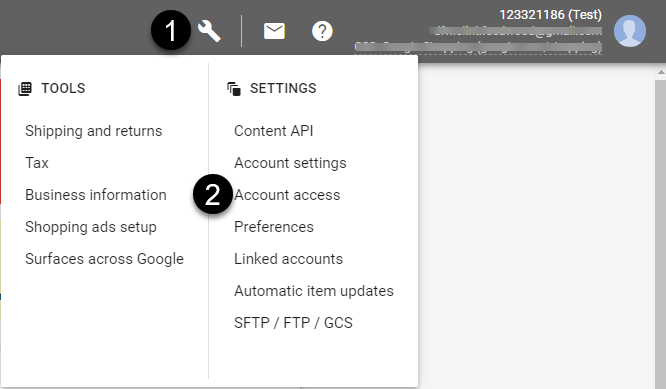
- Click the wrench icon in the upper right corner.
- Select Account access.
4. Click the plus button 
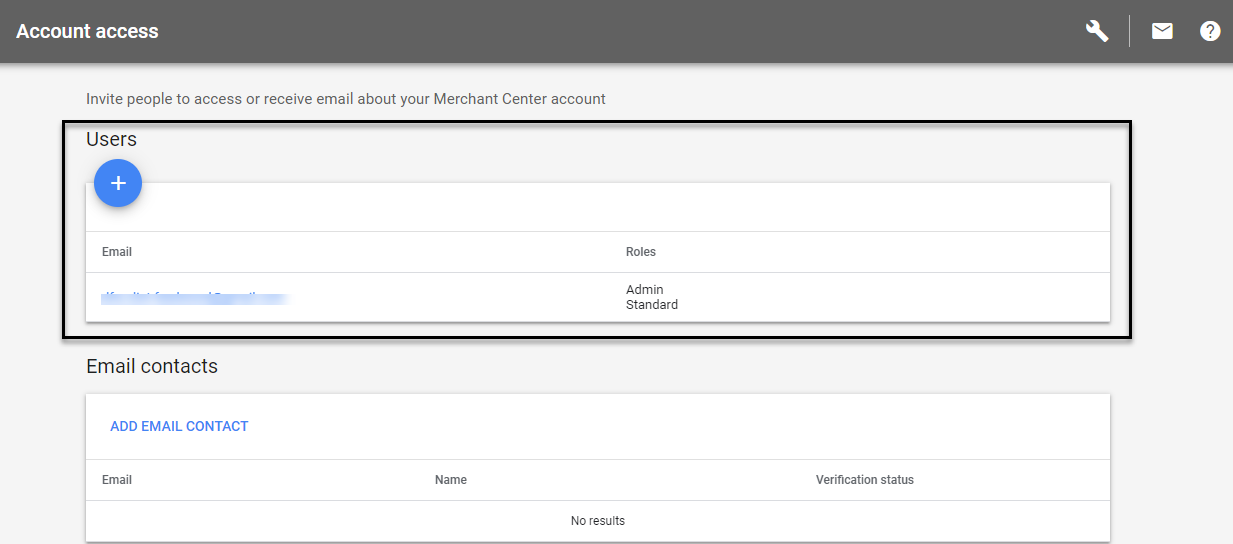
Do not add the e-mail as an email contact.
5. Enter the name and email address provided by DataFeedWatch, and click Add user.
6. Next, select the level of access you'd like to grant to that user
-
Standard: With the right to sign in to Google Merchant Center and get access to everything in the account except for the Users tab and the Merchant Center programs tab.
-
Admin: Standard account access, plus the ability to add, delete, or edit user roles in the Users tab.
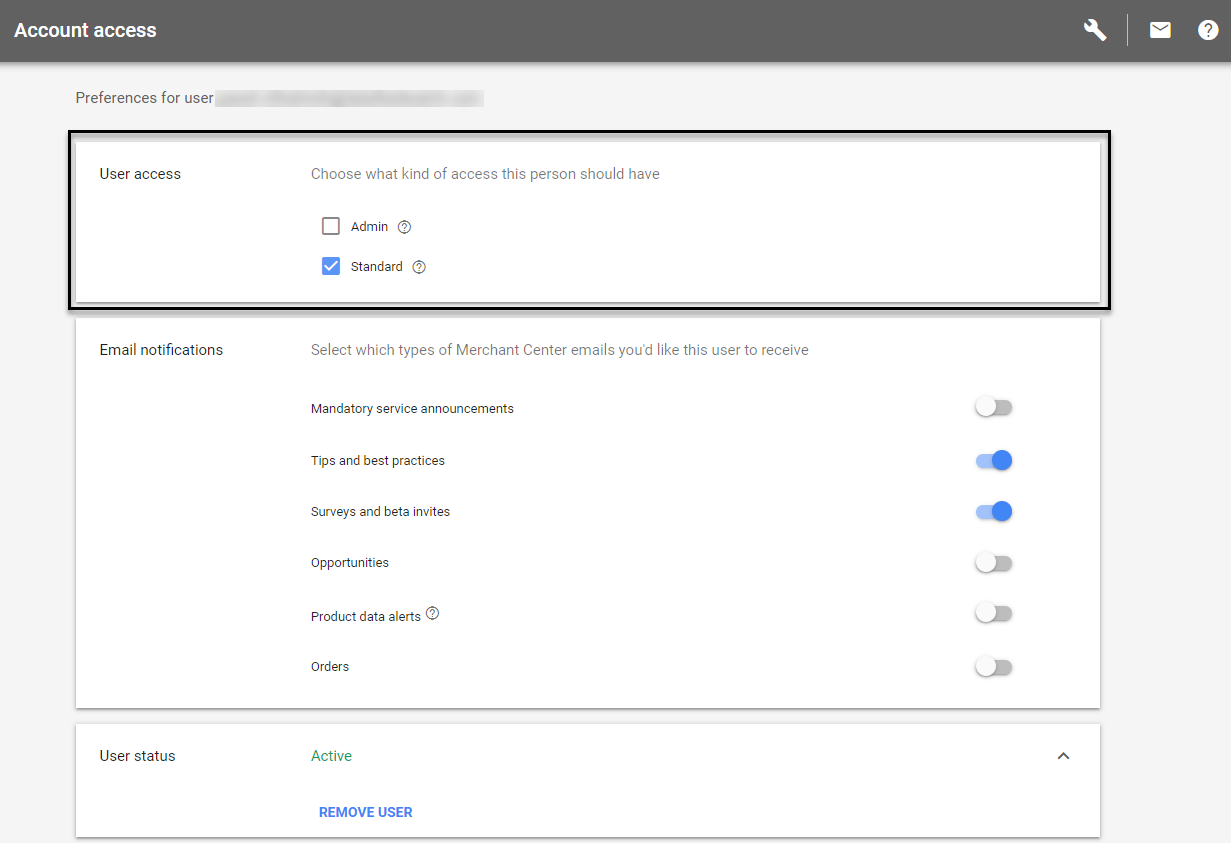
7. Click Save.