
This option does not remove duplicated products.
From a title like blue dress blue, this option will remove the second blue, so just the blue dress remains.
To use Remove duplicates, follow the simple steps below:
-
Scroll down to find the field you would like to map (e.g. Title).
-
From the first drop-down list next to it, select a basic mapping type (e.g. Use).
-
In the next field, select the Input Field or Master Field that you would like to use.
Please note that Master Fields (that are already mapped for the whole shop) will only be available in the Map Fields tab.
4. Click Edit values on the right

5. From the Mapping type drop-down menu, select Remove duplicates.
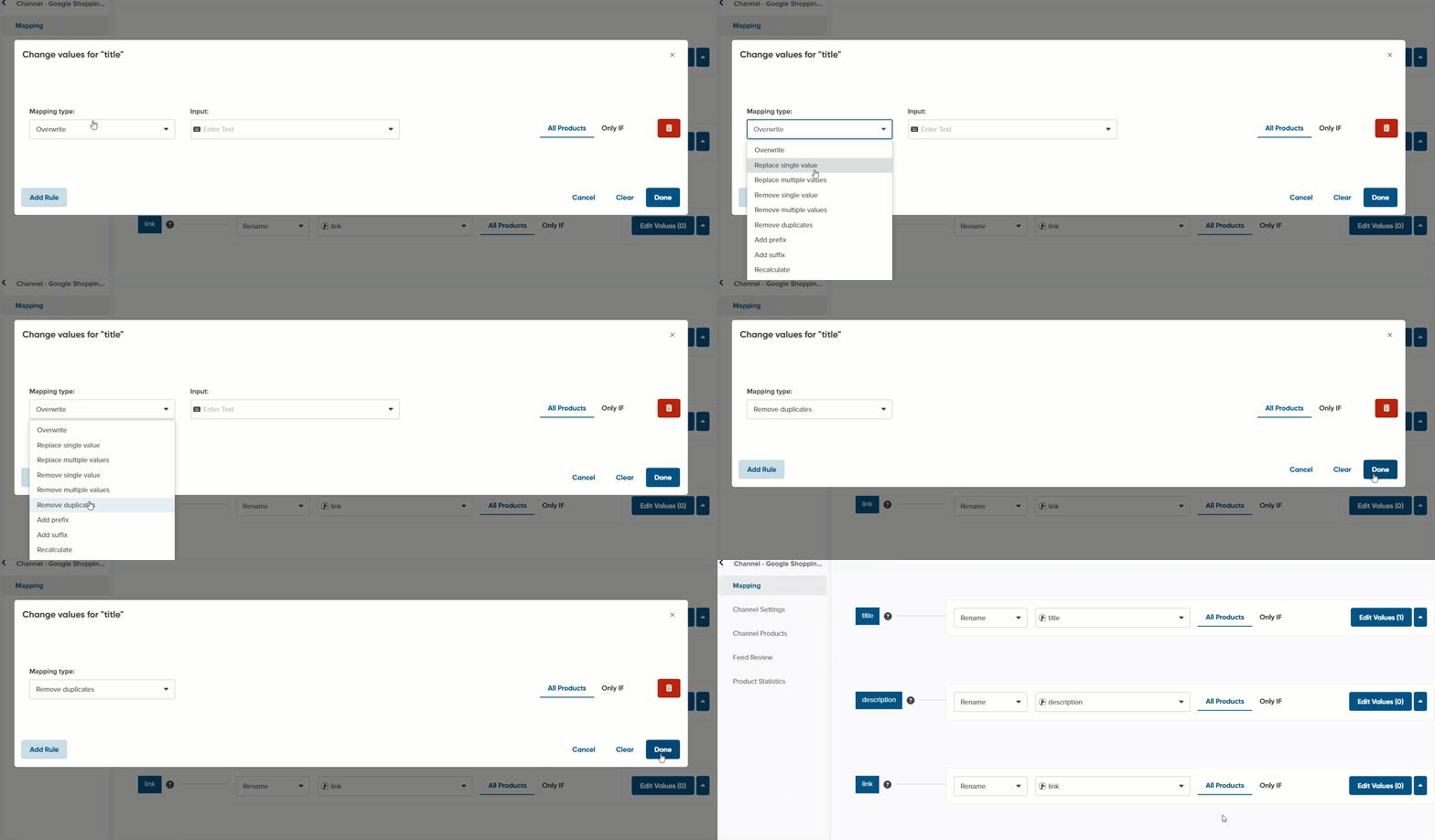
6. You can check the outcome in preview.
