
MAY 2026
May 5th
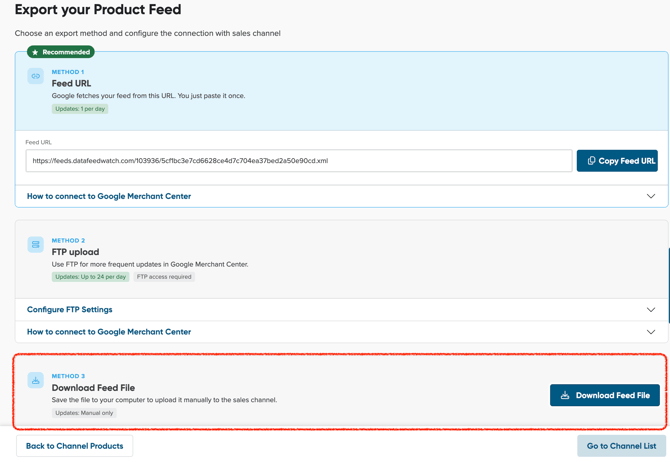
- Download feed file from Export page – added a new export option allowing users to directly download the generated output feed file to their local storage.
- Group fields conversion to standard fields – introduced the ability to convert mapped structured group fields into single fields (e.g. JSON-based shipping data), simplifying mapping and allowing easier handling of complex data structures.
APRIL 2026
April 13th
-
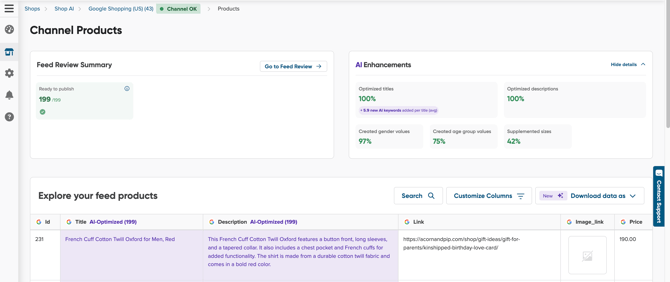
Channel Products: Feed Review Summary & AI Enhancements – added new widgets to the Channel Products page providing a quick overview of feed health and visibility into how much of the feed was generated using AI (if enabled), along with its potential impact.
April 27th
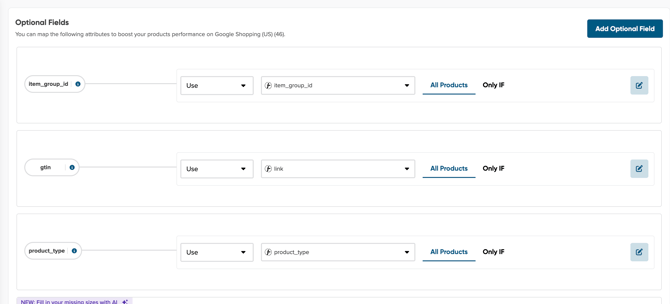
- Mapping UI cleanup with improved group fields design – refreshed the mapping interface with a cleaner layout and removed unused elements to improve clarity and usability, especially for complex mappings.
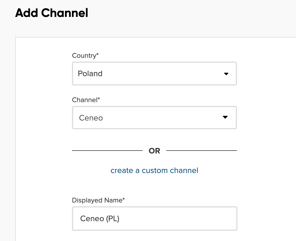
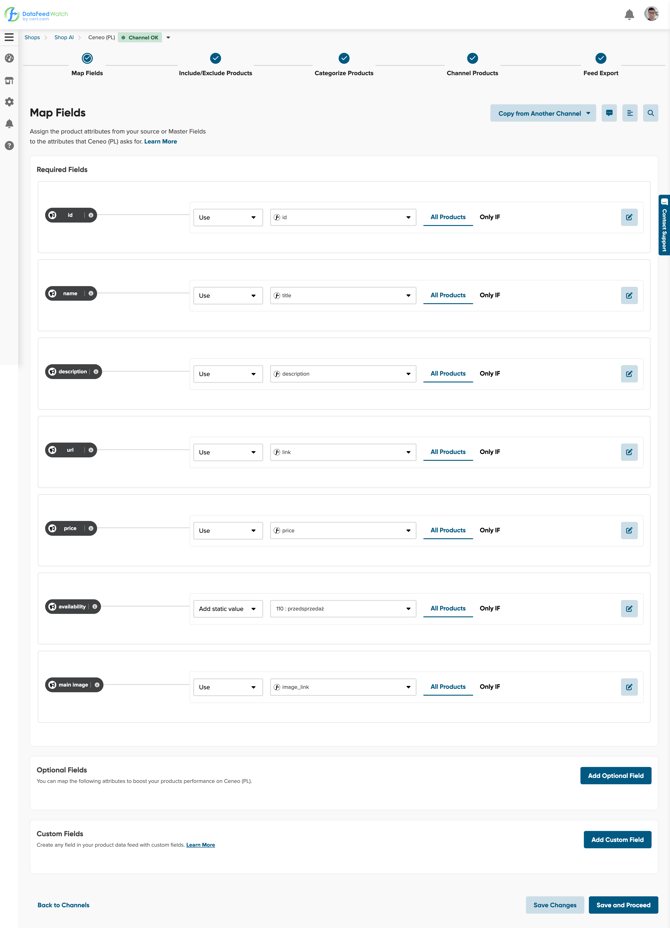
- New Ceneo Channel implementation – fully rebuilt the Ceneo channel integration to fix issues from the previous version and better support Polish merchants, including support for custom fields and broader product category coverage.
MARCH 2026
March 10th
-
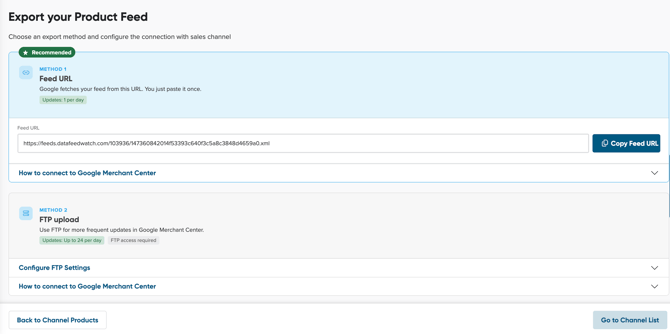
New Feed Export view – introduced a dedicated export page where users can choose between multiple export methods depending on their needs: Copy Feed URL, export via FTP, or download the output feed file directly.
March 24th
-
Live Preview visibility control – Live Preview no longer appears automatically during mapping. Users can now open and close it manually, allowing for a cleaner workspace and more control over the layout.
FEBRUARY 2026
February 9th
-
Improved Channel Products UI – “Copy Feed” visibility – simplified the Channel Products interface to make the main export action (“Copy Feed”) easier to find and access at the end of the workflow.
JANUARY 2026
January 26th
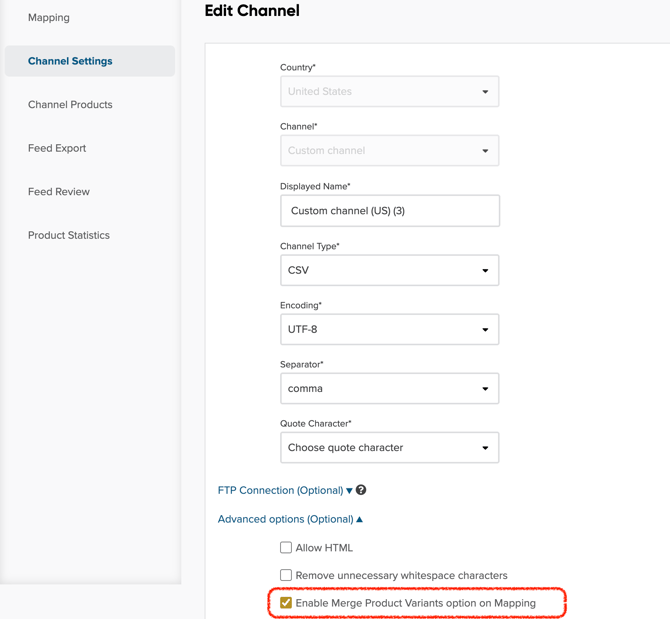
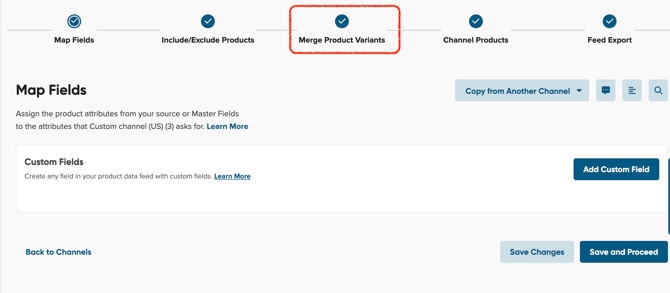
- Variant merging for Custom and other channels – added the ability to merge product variants in custom-built channels, giving more flexibility in feed structure and product grouping.
- Create Master Field without switching to Edit Mode – previously, adding a new Master Field required switching the entire view into Edit Mode. Now you can add new fields directly, making the setup process faster and more intuitive.
DECEMBER 2025
December 16th

We listened to your feedback and made a simple name change to enhance clarity and understanding in your data feed optimization process. Internal Fields are now Master Fields!
Nothing changes about how your feeds work, just the name! We're committed to making your data management experience clear and fast.
December 1st

Our AI-powered data mapping feature has been expanded to now support Pinterest, Snapchat, TikTok, and Bing for all languages This allows you to launch campaigns faster on key social and search channels globally, ensuring your products meet the requirements for these high-traffic platforms.

You can now use our AI to automatically create the necessary values for the product attributes Age Group and Gender directly within the mapping process.
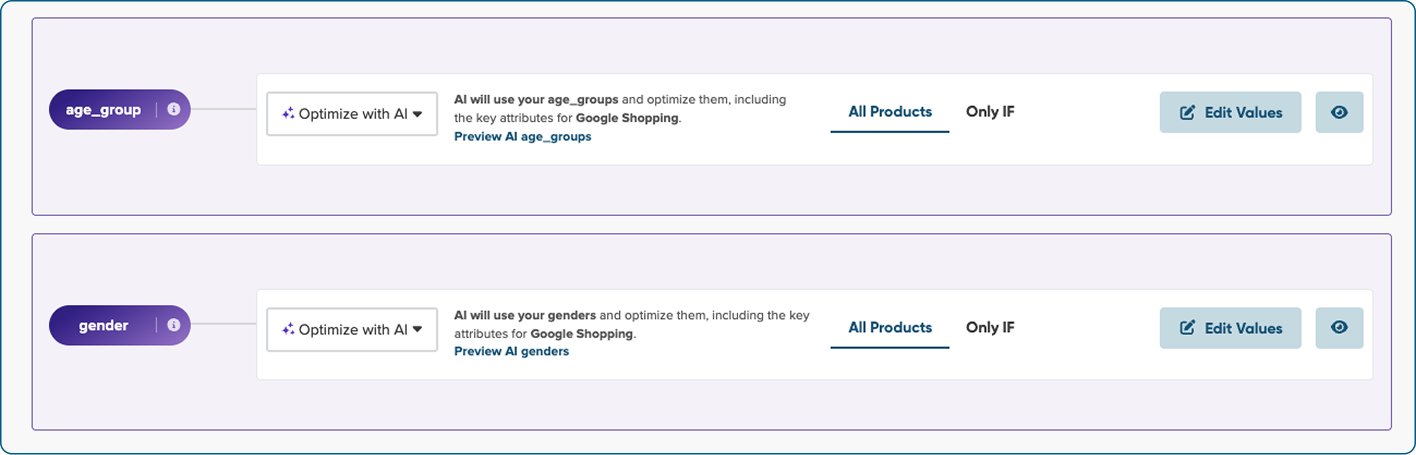

For the users integrating with Shopify, we have added a new option that allows you to download detailed inventory stock data. This new data includes information about product availability across different store locations.

NOVEMBER 2025
November 18th

If your Shopify store was set up before October 21, 2025, you may still be using the Legacy Currency-Based Pricing model, which can cause price discrepancies and limit localized feeds.
We’ve introduced Country-Specific Pricing (Shopify Markets) to replace the legacy model. This update ensures accurate pricing for each country, providing you with more flexibility to tailor feeds by currency, language, and local pricing.
Refer to our Help Center article to learn more about this update and how to switch from the legacy currency-based model to market-specific pricing.

OCTOBER 2025
October 21st

You can now set up your Shopify shop in DataFeedWatch to reflect different product prices and availability for each country you sell in - using Shopify’s multi-country markets integration.
We’ve added this feature to help you create accurate, localized product feeds for international markets. This means your customers in each country will see the right products at the right price.
It’s a big time-saver for global merchants and agencies managing multiple markets.
👉 Learn more about configuring Shopify with multi-country markets.
SEPTEMBER 2025
September 09th

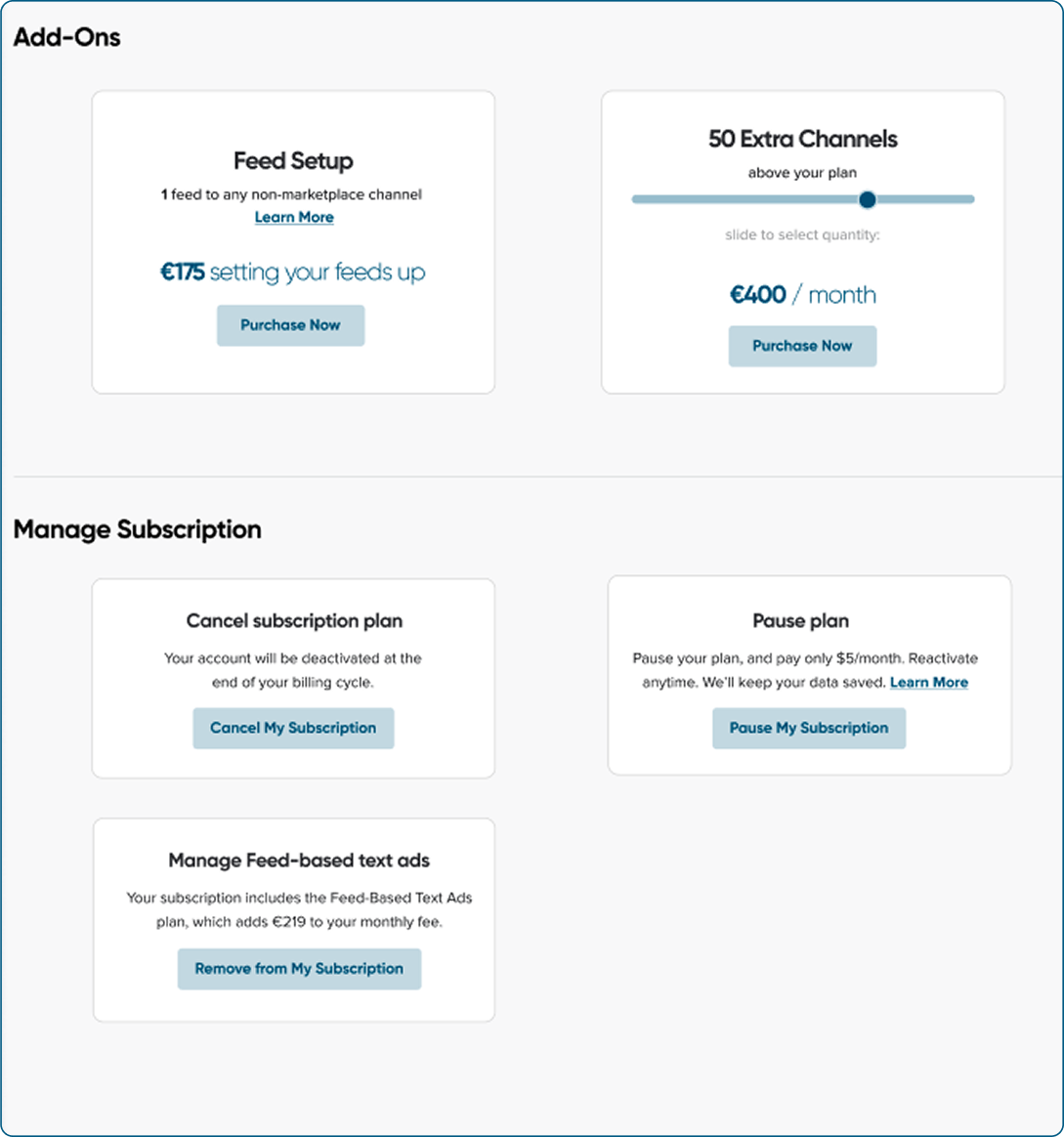
We’ve redesigned our pricing page to make managing your subscription easier than ever.
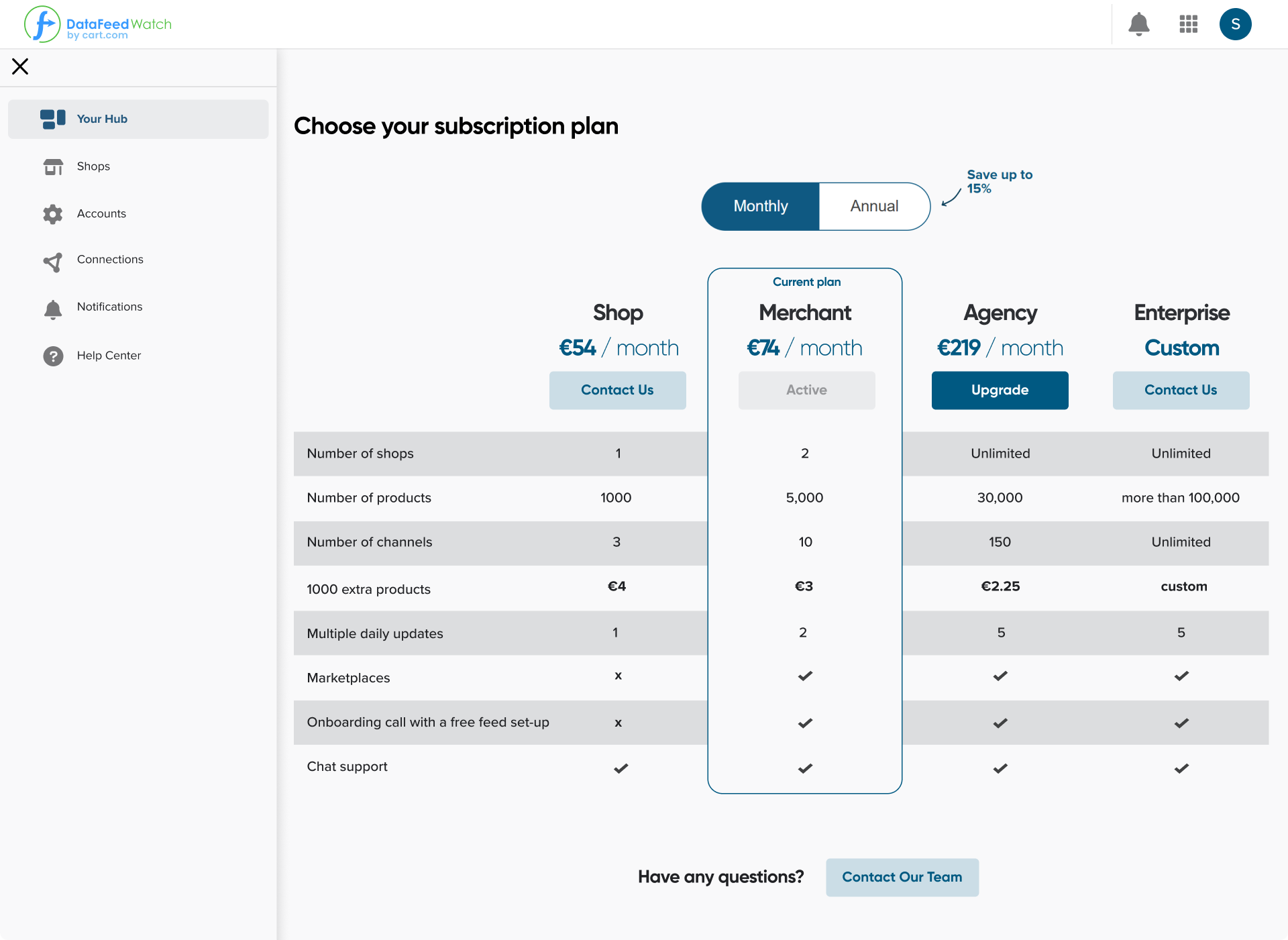
We have enhanced the interface to help you navigate your plan, add channels, or request feed setup with ease. The new layout is more intuitive, giving you more control with fewer clicks.

Until now, our AI could only optimize feeds in English. That’s changed.
We have expanded language support to let you improve your titles, descriptions, and missing attributes (size and color) in Polish and German.
This means smarter and easier feed optimization for more markets!
AUGUST 2025
August 28th

We’ve removed the large banner promoting the Free Onboarding Call from the main interface. Based on your feedback, it was taking up too much space and cluttering the experience.
We’ve moved the call booking option to the side navigation, making it accessible from anywhere in the app without getting in your way.
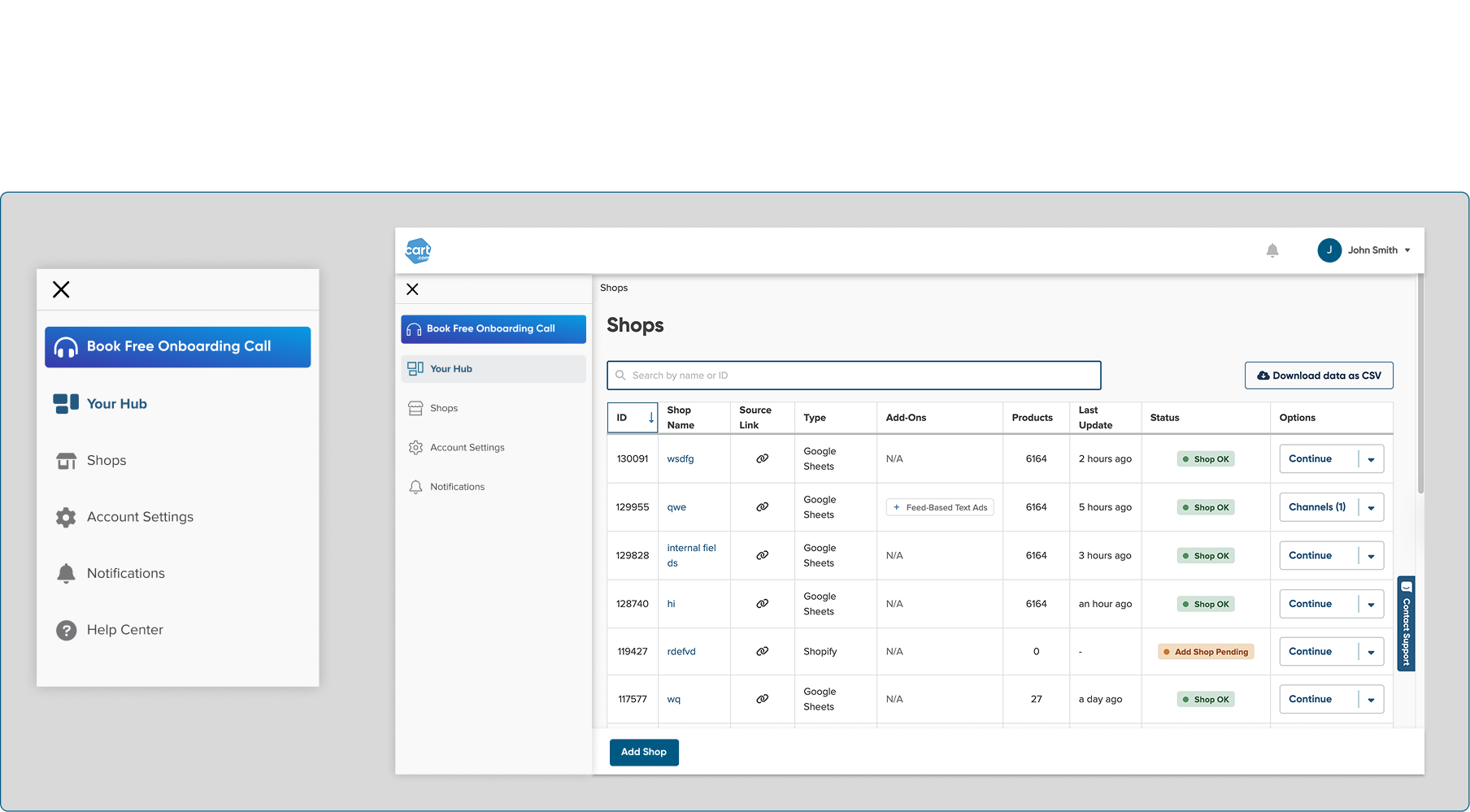
This new placement keeps things tidy and still helps new users get started quickly.
JULY 2025
July 29th

If you’ve got a large shop with loads of products, you might’ve run into freezing issues while customizing your columns.
We resolved the freezing issue to ensure smoother column customization for high-volume shops. This update makes it easier to organize and personalize your data feed without frustrating delays.
July 15th

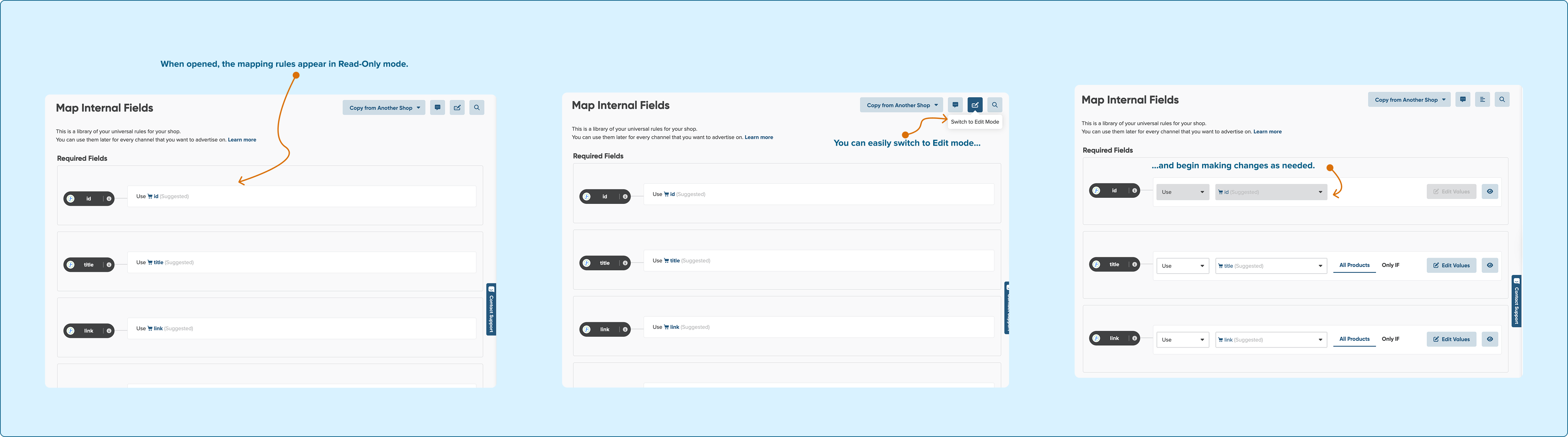
By default, the Map Internal Fields page now opens in Read-Only mode.
We’ve made this change to prevent accidental changes by newer users, which could cause channel mapping issues. If you need to edit, it just takes one click to switch into Edit Mode.

If you're importing product data from Shopify, you might input color information across multiple attributes, depending on how your feed is structured.
To streamline mapping, our auto-detection on the Internal Fields page now locates all the fields containing color details and applies the Combine option to unify them. This reduces setup time and helps ensure product attributes are mapped accurately, without manual cleanup.

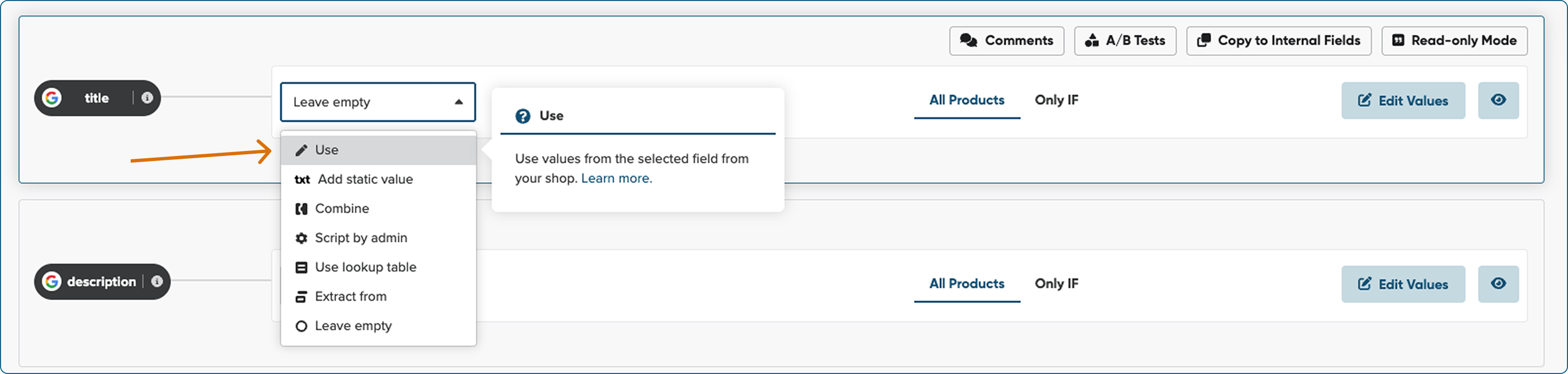
We’ve replaced the “Rename” mapping type with “Use” to make it easier for new users to understand what this feature actually does.
We made this change to clarify that you’re selecting which field from your source feed should be used for a specific attribute in the channel feed, not renaming it. Same functionality, just a better name.
To find out more, please refer to Main Mapping Types: Use.

We’ve updated the icons for Add Static Value and introduced a new text icon. We redesigned these visuals to represent their purpose better and lighten up your mapping workspace.
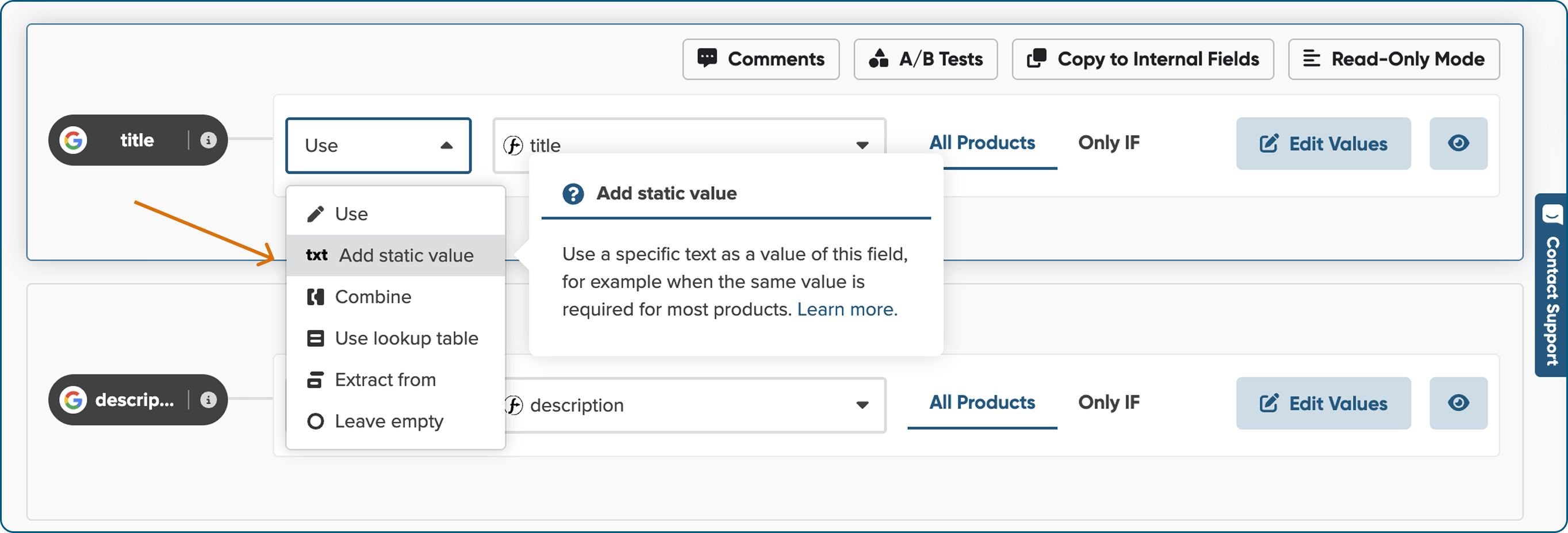

You spoke, we listened. We’ve brought back the larger Edit Values button, so you can easily find and use it when refining your mapping settings.


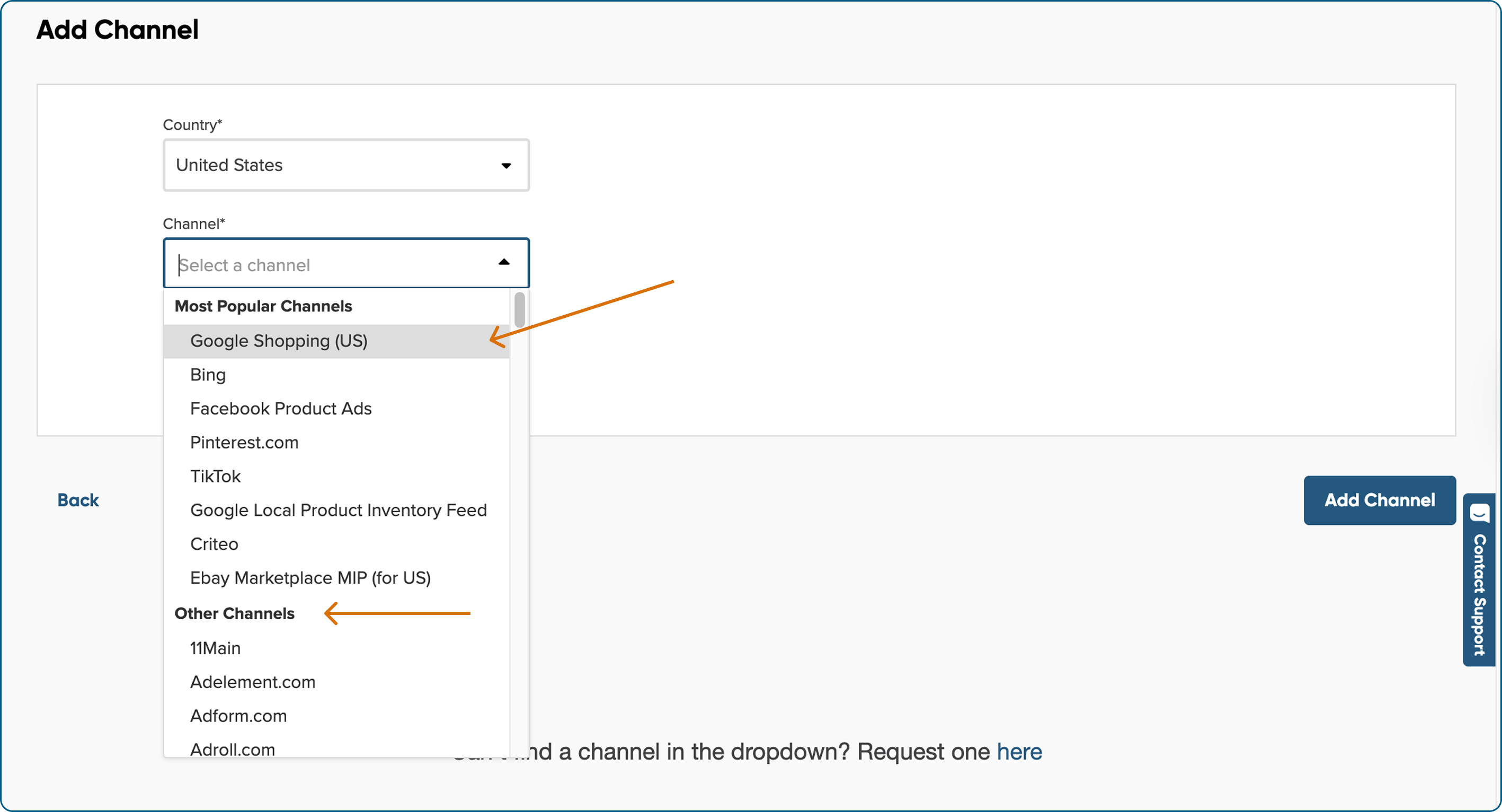
We've reorganized the list of available marketing channels to highlight the most popular ones first. You'll notice the change when adding a new channel. This update makes browsing faster and helps you choose the right channel with confidence.
July 1st

We redesigned the way channel attributes are displayed to help you instantly recognize which fields come from your source (like your shop) and which are specific to the marketing channel.
We’ve introduced distinct pill-shaped fields for channel attributes and added the channel logo next to each, so you always know exactly what you’re mapping.


We’ve tidied things up for a smoother workflow. We replaced the cluster of primary buttons in the top-right corner with sleek, compact shortcuts to your most-used actions.
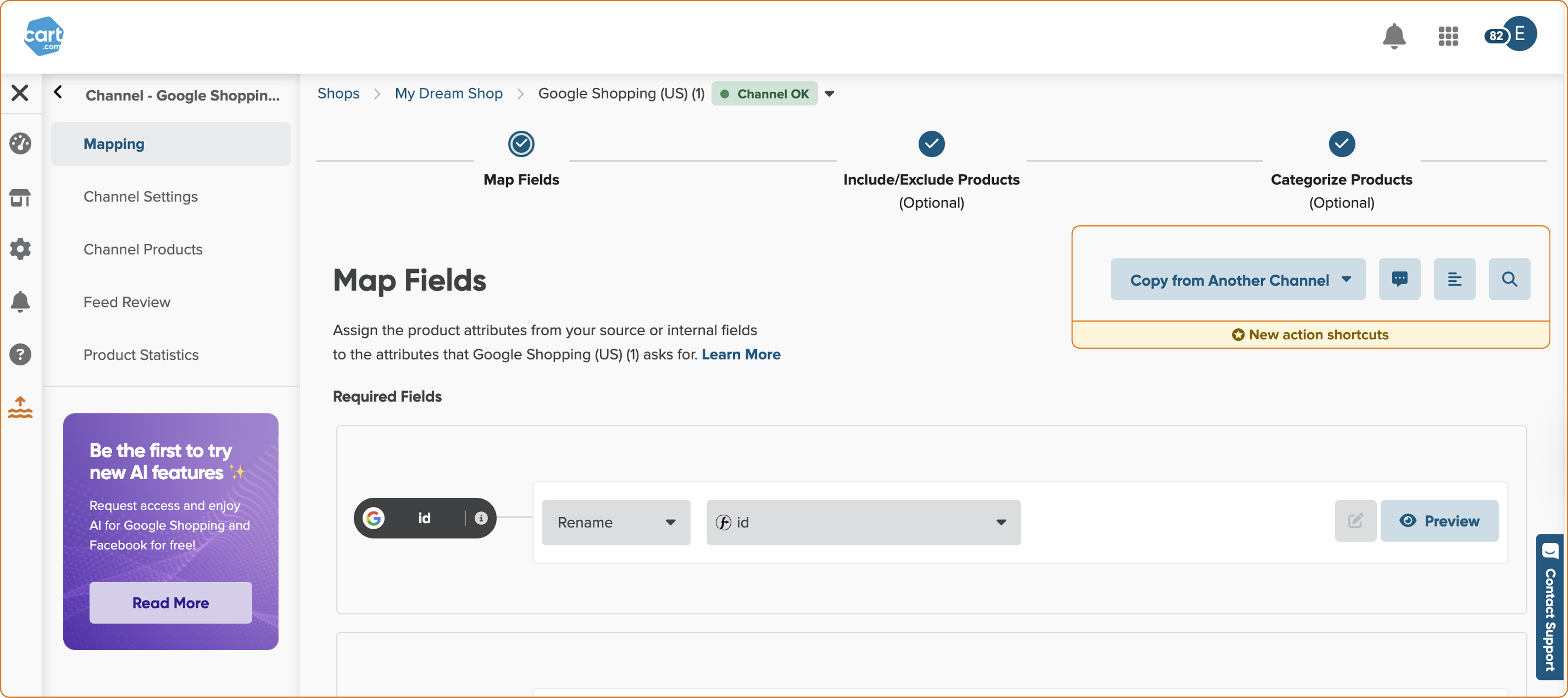

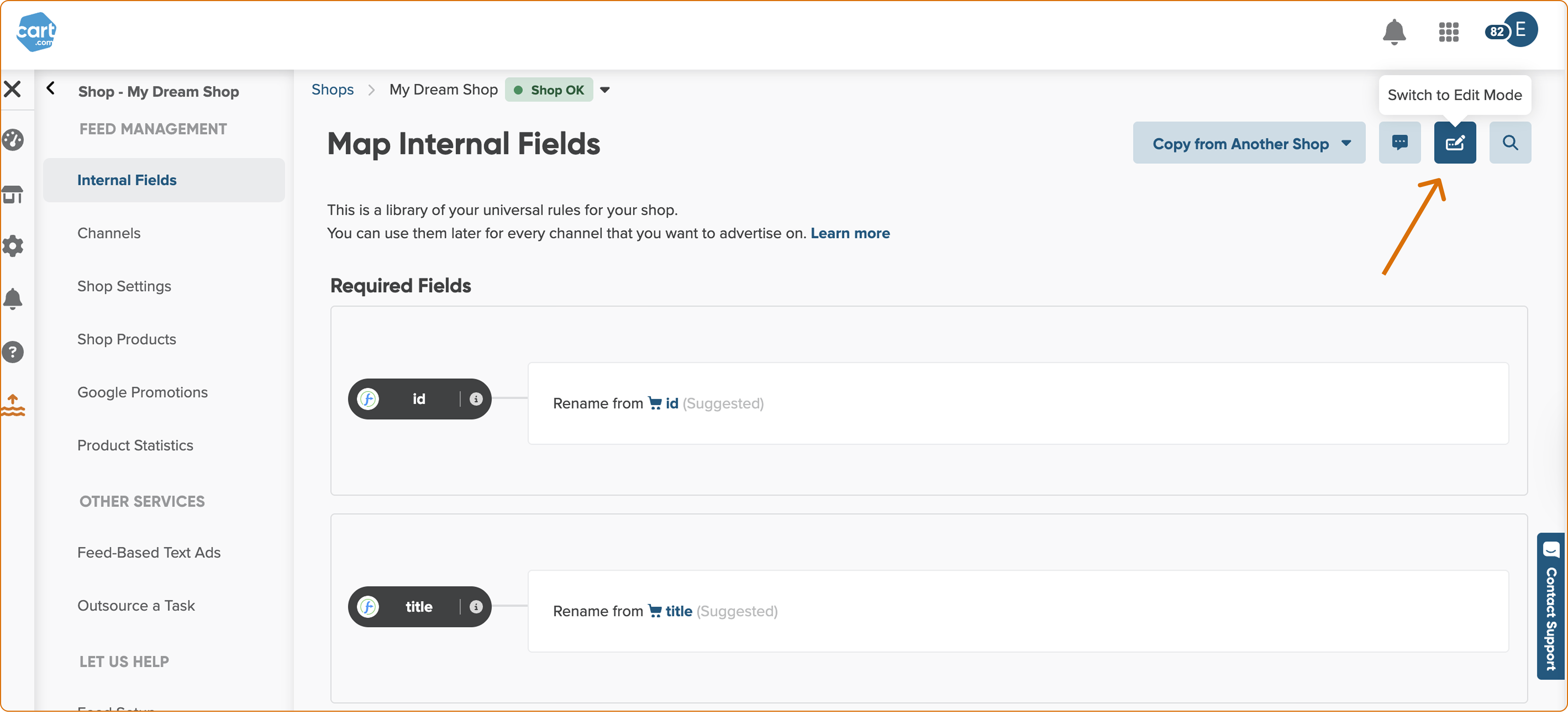
Reviewing internal fields is now simpler and clearer. We heard from beginner users that the setup wasn’t easy to grasp at first, so we renamed “Text Mode” to “Read-Only Mode” and made it the default when opening the Internal Fields page. This way, you can easily skim through the rule setup without distractions.
When you're ready to make changes, just switch to Edit Mode. We’ve also cleaned up the layout to improve overall readability for everyone.
JUNE 2025
June 17th

We’ve added a new step to the flow to make creating your feed from Shopify to Google Shopping even easier.
Now, you can let our automation handle the mapping — just click, wait a moment, review, and you’re good to go.
Less manual work, more time for strategy.

Waiting for Feed Review and channel products is now shorter than ever. We optimized our backend processing to speed up the creation of your feeds.

We’re listening and improving. We gathered feedback from our users to redesign the mapping interface, making it clearer, better organized, and easier to navigate.
This is just the start of how we’re making your workflow smoother.
June 4th

We’ve introduced the Strip HTML option in Edit Values to help you clean up product descriptions effortlessly.
Now, with just a few clicks, you can remove unnecessary HTML tags, ensuring your product description stays cleaner and better structured for search engines and marketing channels.
If you still want to keep basic formatting, you can check the "Keep basic formatting" box to preserve essential HTML elements like lists, bold text, and paragraph.
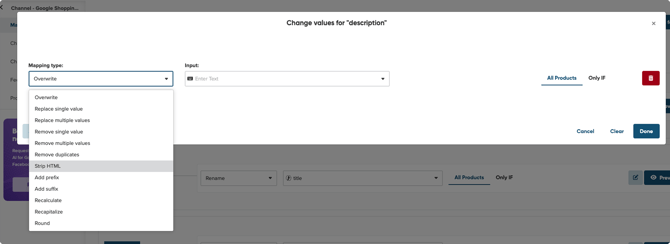
If you want to learn, how to apply this option, please refer to: How do you remove HTML tags from your description?
MAY 2025
May 20th

We’ve updated the field requirements for Google Shopping and Bing mappings.
- The GTIN field is no longer required, as it’s optional for these channels and was causing unnecessary confusion. You’ll now find it in the Optional Fields section.
- We made the BRAND field required to ensure your listings include this essential attribute, improving feed quality and compatibility with Google Shopping and Bing.
This update helps streamline setup and reduce errors when configuring your product feeds.

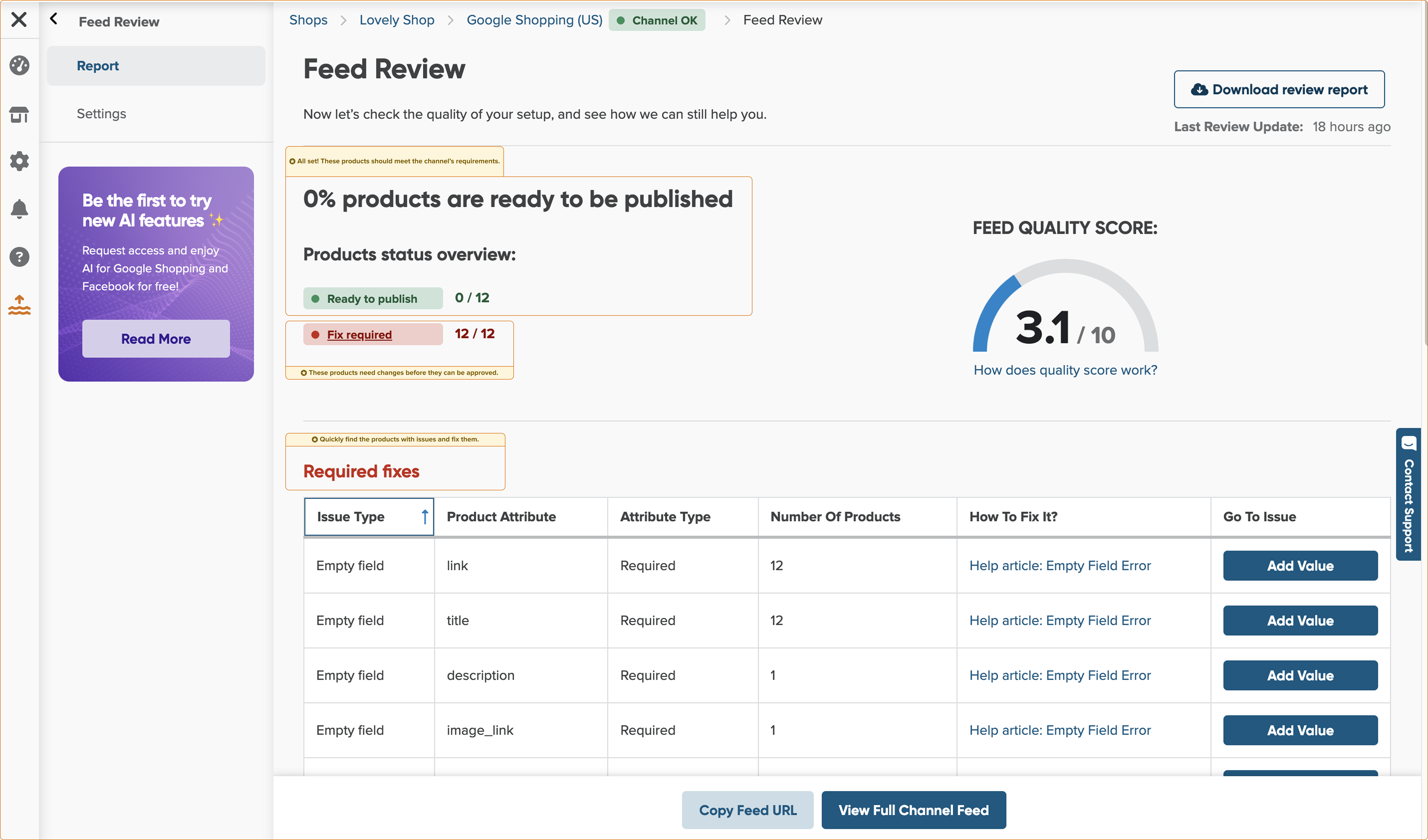
We’ve enhanced the Feed Review feature to give you a clearer snapshot of your feed’s readiness. It still highlights potential errors and warnings, but now it goes a step further.
We added product breakdowns to show you:
- How many products are ready to be published
- How many require fixes before submission
- How many could be improved to maximize the visibility
This gives you more control and clarity, helping you prioritize what matters most before pushing your feed live.

We removed the unnecessary check for the read_locations scope when including the inventoryItem section in the GetVariantsQuery. This section no longer depends on the location access, aligning better with how inventory data is structured.
- Shops without read_locations still get inventory data, just in a simplified format, without inventoryLevels.
- Shops with read_locations continue to access the full inventory structure, including detailed levels and locations.
April 2025
April 22th

We’ve started improving our platform to meet the requirements of the European Accessibility Act (EAA).
This means a more inclusive, user-friendly experience for all users, supporting your compliance goals and strengthening your brand’s accessibility commitment.
April 08th

We support English data feeds, and to avoid confusion, we’ve hidden the AI option for unsupported languages.
AI-generated suggestions for titles, descriptions, color, and size are now hidden when your input feed uses a language that our AI doesn't support. This ensures a cleaner workspace and a more relevant experience.

We fixed a bug that was causing issues with how configurable products were handled in Magento Enterprise (Adobe Commerce).
This update ensures product data is selected and synced correctly. We also made the plugin compatible with PHP 8.3, so it works smoothly in newer environments.
Everything should now run more reliably, with no action needed from your side.
March 2025
March 25th

We've added a new input field, country_code_of_origin, to our mapping for Shopify users. While Shopify has always allowed you to set this field, you can now map it in our app. This field lets you define the ISO 3166-1 alpha-2 country code of an item's origin, making it easier to use this data for marketing and other purposes.

In the last sprint, we worked on backend improvements that might not be immediately noticeable to you, yet crucial for the smooth functioning of our app.
We also focused on upcoming improvements planned for the next quarter.
March 10th

Hi! We know it’s been a while, but we have great news: we're bringing back our release notes! From now on you can stay up to date and make the most of the latest changes in our app.

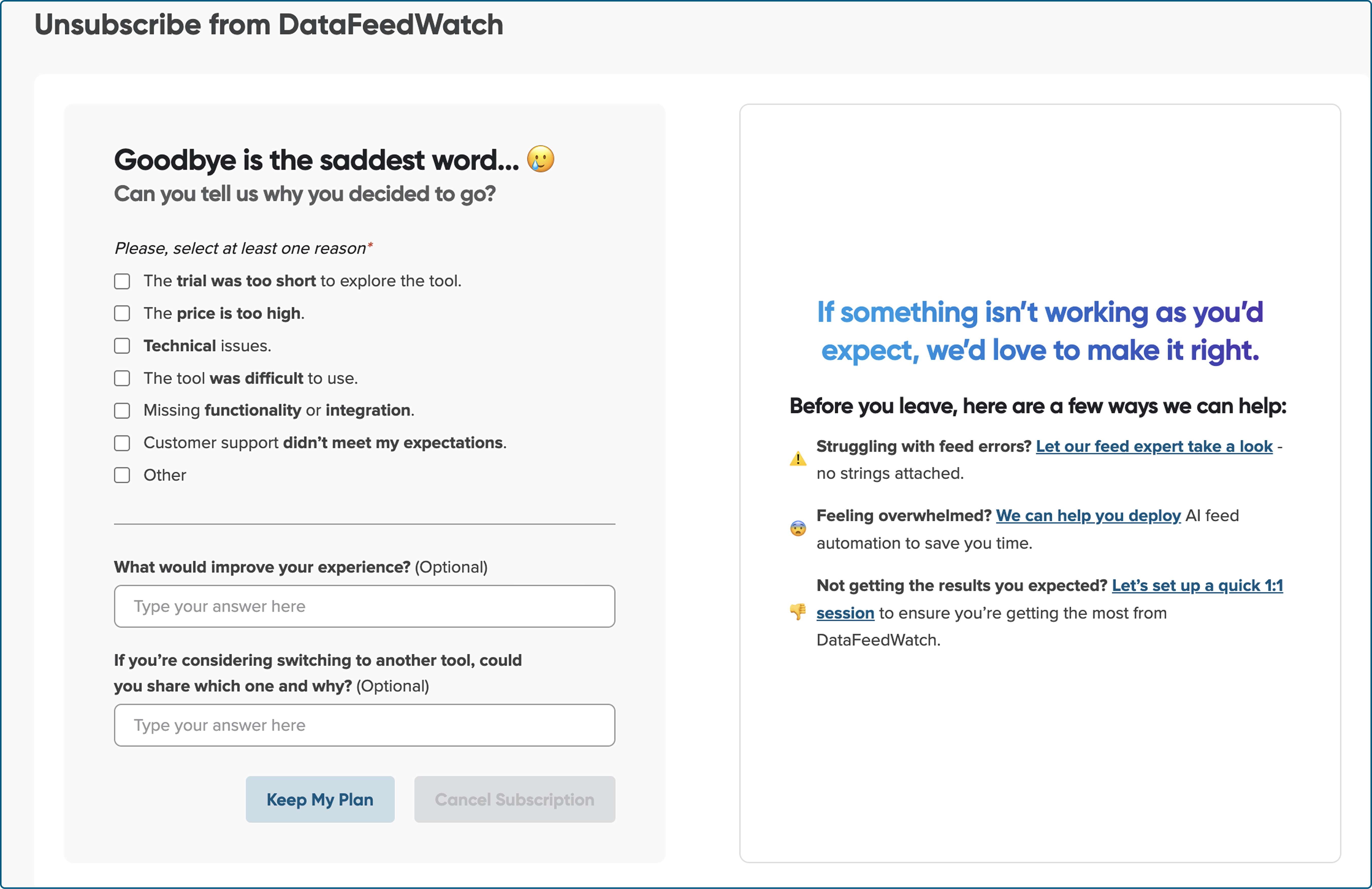
To continuously improve and tailor our features to your needs, we’ve introduced a new, more intuitive cancellation form. This helps us gather valuable insights that will shape a better experience for all users.

We’re in the process of updating changes for affected users. If you haven’t upgraded yet and this change impacts you, please follow the steps in our guide: Shopify API upgrade 2025. Inventory scope changes.

We're working on an improved product feed preview, allowing you to check your output feed products more easily. Stay tuned, this enhancement will be available soon!