Google’s Loyalty feature is transforming how merchants engage with their most valuable customers. By integrating loyalty benefits directly into Google, businesses can now showcase exclusive perks to both existing and potential loyalty program members.
To make the most of this feature, it’s essential to prepare your product feed correctly. Using tools like DataFeedWatch, you can structure and optimize your feed to include loyalty program attributes, ensuring your benefits are displayed effectively across Google’s ecosystem.
In this article, we’ll explain to you what Google Loyalty feature is and guide you through the steps to prepare your feed.

Google loyalty program feature
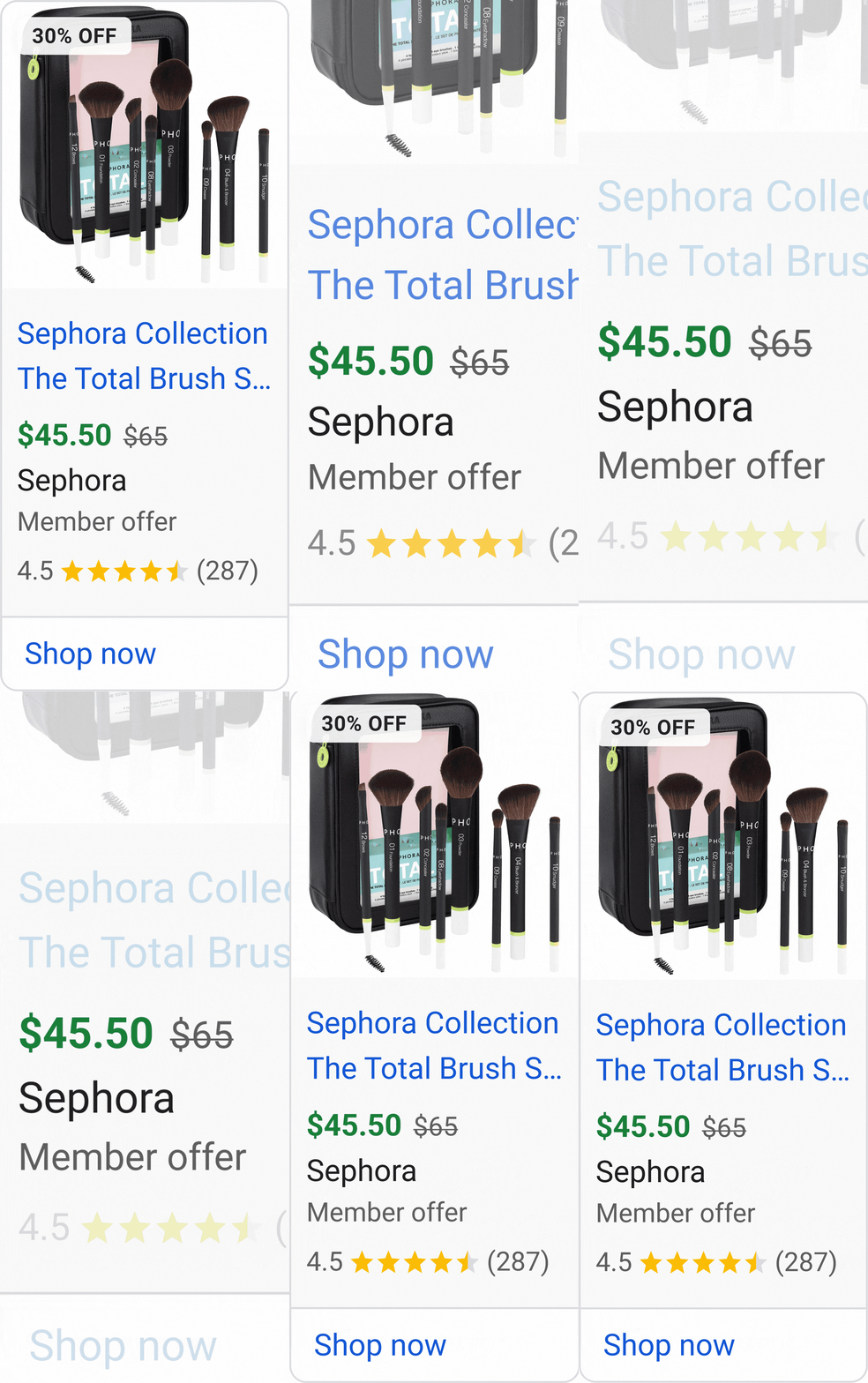
Google loyalty is an add-on feature in Merchant Center for businesses that already have a loyalty program. It allows them to show loyalty benefits on Google, such as free shipping, redeemable points, or member-only prices. These benefits can appear in free product listings and Shopping ads across Google services like Search, Shopping, and Google Wallet.
No additional fees are required to set up the program.
According to Google, loyalty program members shop twice as often and are 77% more likely to choose the loyal brand over competing brands.
What Google does with your benefits
Google displays your most important loyalty program benefits to potential new customers to encourage them to buy your products and join your loyalty program. The loyalty data you provide is also used to show these benefits to existing members, encouraging them to shop more and reminding them of the value of being part of your loyalty program.
Google can identify brand loyalty members in a few ways. The most effective method is Customer Match in Google Ads, where you upload loyalty member lists by tier that match the tiers set up in the Merchant Center. Google can also recognize members through Google Wallet if the loyalty program is added to a user’s account. Users can also manually confirm their loyalty membership while viewing product listings.
Kind of benefits you can give to your customer via Google Loyalty program
With Google’s loyalty program, you can offer customers a range of enticing benefits that enhance their shopping experience and build long-term relationships. These perks can include:
- exclusive discounts
- early access to sales
- free shipping
- special rewards for repeat purchases.
Advantages of Google Loyalty Program
Loyalty programs have become a cornerstone of modern retail, offering merchants a powerful way to build lasting relationships with their customers. According to Google, 61% of U.S. adults find tailored loyalty programs to be the most compelling part of a personalized shopping experience. This highlights the growing demand for programs that go beyond discounts to deliver real value.
By integrating loyalty benefits merchants can:
- Engage and retain existing customers: Loyalty programs create a sense of exclusivity and reward, encouraging repeat purchases and fostering brand loyalty.
- Attract new customers: Visible perks, such as member discounts, can entice shoppers to join your program and make their first purchase.
- Increase lifetime value: Loyal customers are more likely to spend more over time, making them a valuable asset for any business.
Google loyalty program feed requirements
To enable the Google Loyalty program, you need to include the [loyalty_program] attribute in your product feed, along with its sub-attributes. These sub-attributes provide detailed information about your loyalty program and include:
- Program label [program_label]: Identifies the loyalty program. Required for multi-tier programs.
- Tier label [tier_label]: Differentiates benefits between membership tiers. Required for multi-tier programs.
- Price [price]: Specifies member-specific pricing, displayed alongside non-member prices.
- Cashback [cashback_for_future_use]: Reserved for future use.
- Loyalty points [loyalty_points]: Indicates the points members earn for purchasing a product.
- Member price effective date [member_price_effective_date]: Defines the start and end dates for member pricing.
- Shipping label [shipping_label]: Specifies offers eligible for member shipping benefits.
How to Implement Loyalty Program
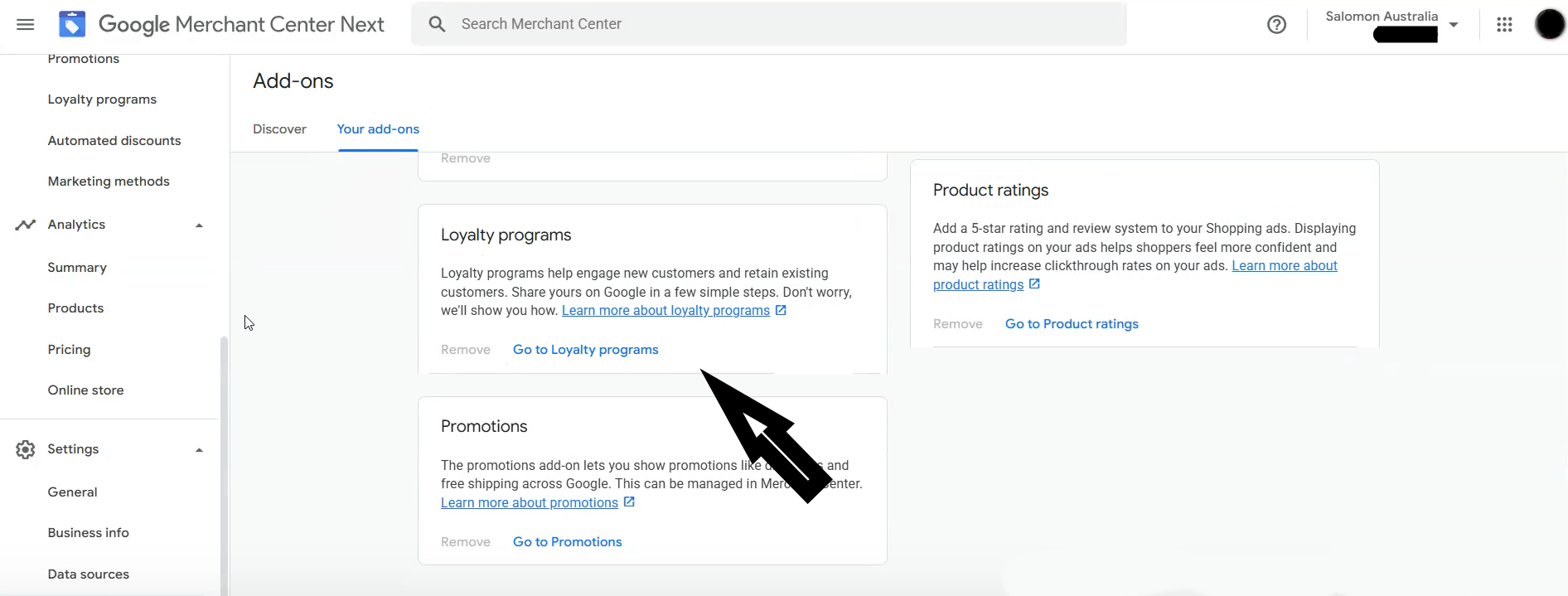
First you need to enable the Loyalty Program in Google Merchant Center.
- Log in to your Merchant Center account.
- Click the Settings & tools icon (gear).
- Select Add-ons from the menu.
- Under the Discover tab, find the Loyalty programs add-on card.
- Click Add to activate it.
Then add details of your membership program. The fields that need to be filled in are: Loyalty program name, Loyalty program Label, Loyalty program description, and sign-up URL leading to your membership page.
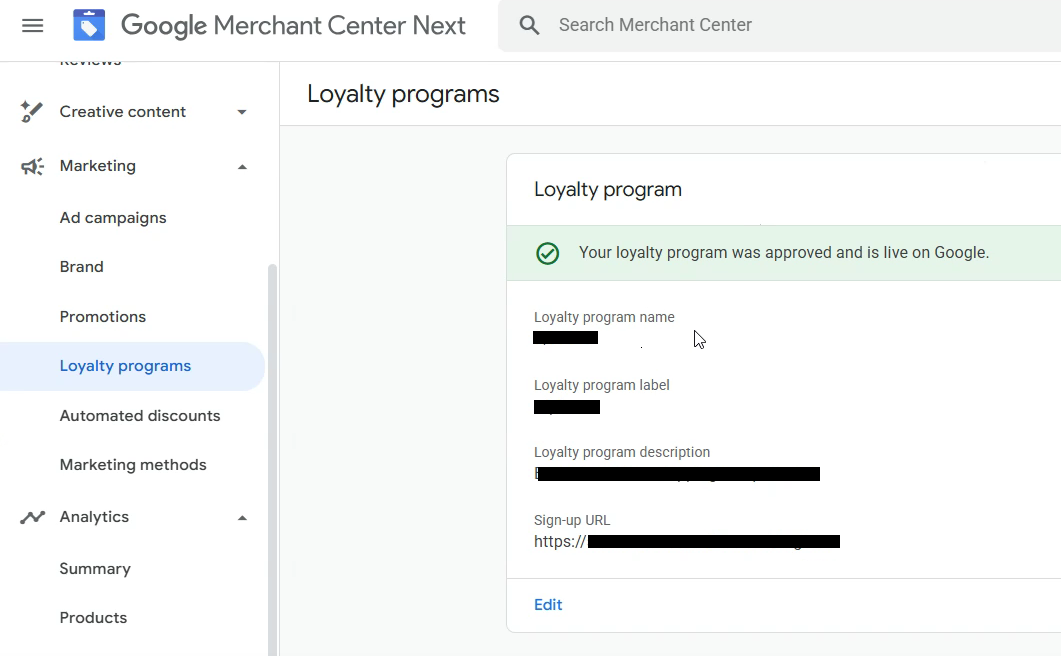
Create program tiers by starting with the most basic level as your first tier. Gradually add more advanced tiers in sequence as you expand the program. Ensure each tier in your loyalty program has a distinct name and label.

Update your product feed with attributes required by Google loyalty program. You can simply add an optional field called Loyalty Program in our tool and all the required sub-attributes will show as well.
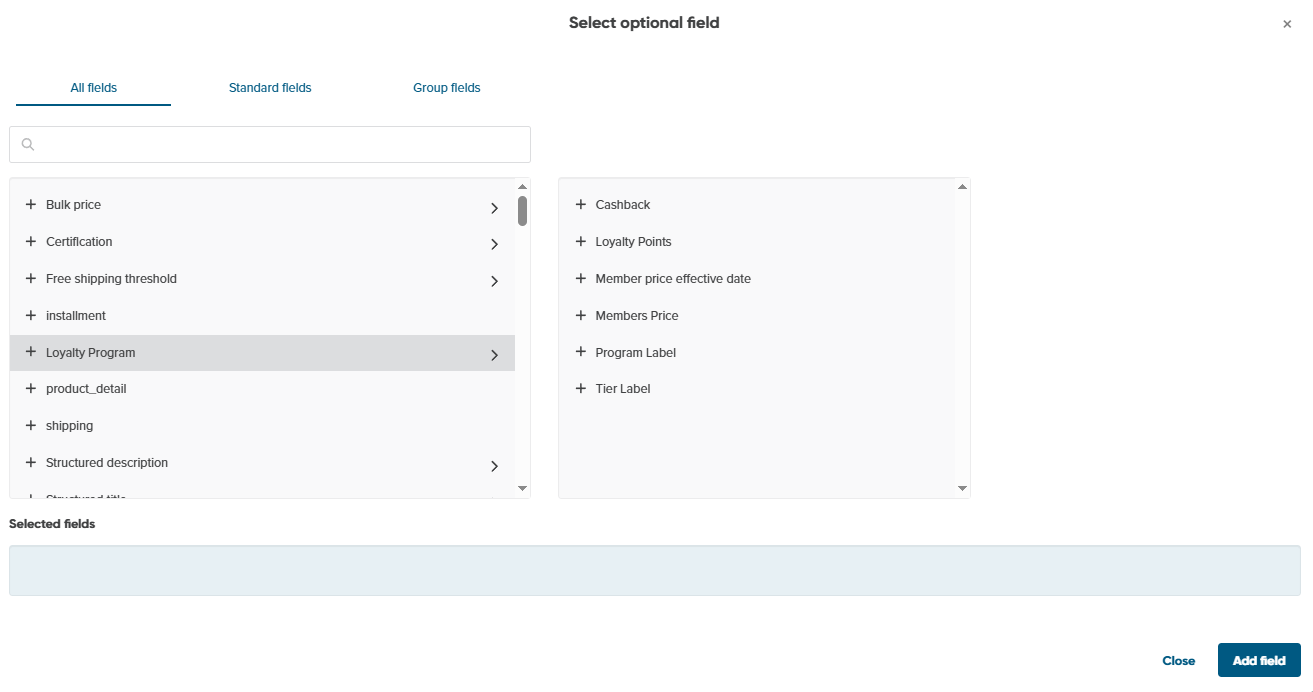
You can also easily add and remove all attributes associated with the loyalty program by clicking on the appropriate button.

Then simply map it.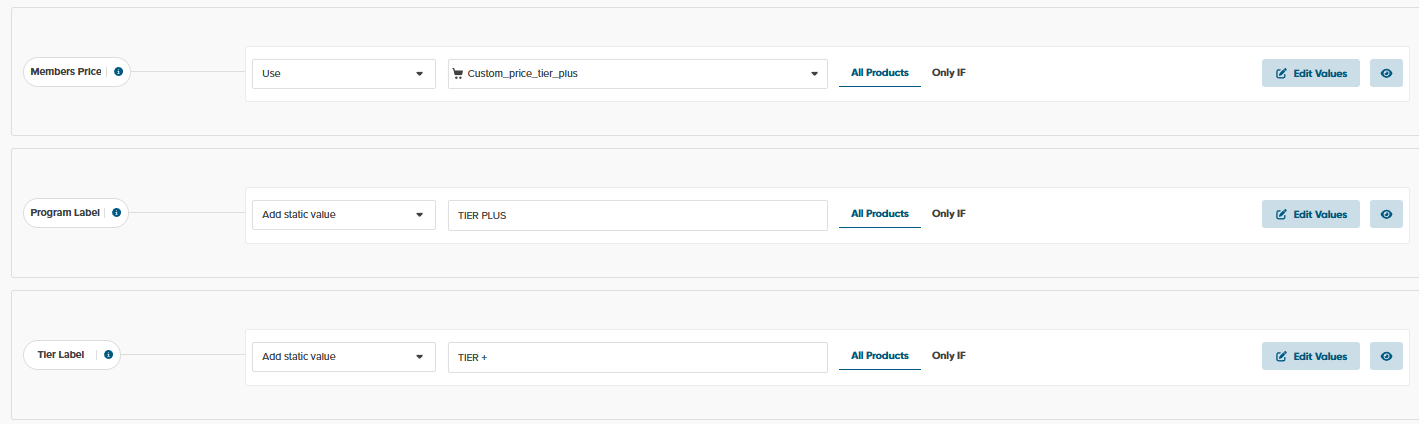
Summary
In summary, the Google Loyalty feature is a game-changer for businesses aiming to retain customers and boost engagement. By showcasing exclusive perks like discounts, free shipping, and loyalty points directly on Google, you can attract new customers and reward existing ones.
With proper setup, including program tiers and optimized product feeds, this feature seamlessly integrates into your marketing strategy, driving repeat purchases and increasing customer lifetime value.
