
You've probably spent a fair amount of time getting your Google Merchant Center feed right. Your product titles are optimized, the required attributes are populated, and you've sorted out the usual diagnostics errors.
Now the question is can you actually use the same feed for ChatGPT, Perplexity, and Microsoft Copilot?
The answer isn't a straightforward yes or no.
That’s because while you can reuse much of your existing product data, each platform has its own requirements for receiving and organizing it. Some need additional attributes, others have different rules for product variants, and a few require a separate merchant integration altogether.
I've seen merchants make the process harder than it needs to be by creating a new catalog for every channel. You don't really need to do that.
Instead, know which differences you can handle with feed rules and which ones require a separate version of your catalog.
That’s what I’ll share in this guide.
What Each AI Platform Expects From Your Catalog
Leading AI platforms don't differ much in how they operate. However, the type and presentation of data each expects from you might differ in a few ways.
Google starts with Merchant Center
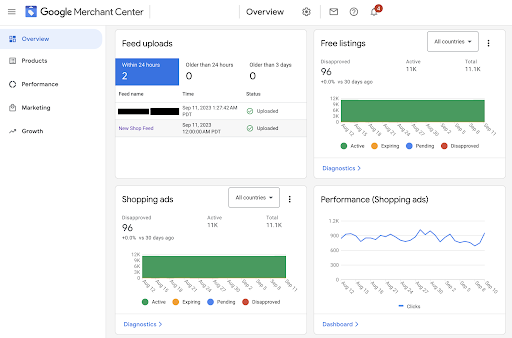
Google Merchant Center remains an important starting point for product discovery across Google's shopping experiences, including AI Mode in Search and Gemini.
The usual product information still matters, but Google has started adding more attributes that give its AI systems useful context when answering shopping questions. The Merchant API now includes conversational attributes such as product questions and answers, related products, variant options, document links, item group titles, and popularity rank.
Google’s Universal Commerce Protocol (UCP) also supports checkout directly through eligible shopping experiences. This requires additional product and merchant information, including checkout eligibility, return policies, and customer support details. It is a separate integration layer rather than a replacement for your existing product feed, and checkout is currently limited to participating merchants in supported markets.
ChatGPT has a different feed specification
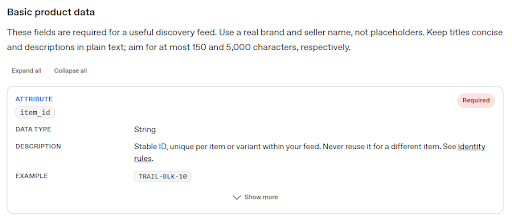
OpenAI has a dedicated product feed format for merchants approved to participate in its product feed program. It has nine required fields, namely item_id, title, description, url, brand, seller_name, image_url, availability, and price.
The seller_name field may not exist in your usual Google export. You also need to be careful with empty values. OpenAI allows unknown optional values to be left empty, but placeholder text such as N/A or null is not a substitute for missing information. Availability has its own explicitly supported unknown value.
ChatGPT handles variants differently. Each purchasable size or color combination gets its own row, with a unique item_id, a shared group_id, and a variant_dict describing the selected options. Keep those identifiers stable when prices, stock, titles, or images change. The specification also says not to put prices inside offer IDs.
There are separate requirements for checkout eligibility too. A merchant needs an enabled checkout integration, search eligibility, and public privacy policy and terms-of-service URLs. Standard file uploads currently target the US, so don't assume adding another country code automatically makes your products available elsewhere.
Perplexity has its own merchant integrations
Perplexity’s shopping experience uses integrations with platforms such as Shopify to access current product information from participating merchants. It also operates a Merchant Program through which large retailers can share product specifications and live product details.
That is different from simply submitting a Google Merchant Center export, though there’s presently no public documentation for a universal field-by-field feed specification comparable to OpenAI's. So, if you're planning to sell through Perplexity, check the merchant integration available to your store before building another feed.
Microsoft Copilot uses Merchant Center and UCP

Microsoft has its own Merchant Center, which supplies product information for shopping discovery in Copilot alongside information found across the web.
The platform uses UCP to support checkout and other commerce actions, while the Merchant Center feed provides the product information needed for discovery. To participate in Copilot Checkout, you need an MMC account and a UCP-compliant feed with additional information such as native checkout eligibility, product warnings where applicable, and a unique Merchant Item ID.
There is also an eligibility restriction worth knowing. Microsoft currently limits Copilot Checkout to English-language merchants selling to US buyers. So before creating a separate feed for this purpose, check whether your store qualifies.
When Does Your Channel Need Its Own Feed?
I wouldn't create another feed just because a channel has a slightly different way of displaying product information. Look at what it actually needs. Does it require a field your master catalog doesn't have, or does it simply want an existing value presented differently?
The second situation is usually straightforward. You might need to shorten a title, put the color before the product name, or convert a value into a format the destination accepts. A mapping rule can handle that. There is little reason to maintain another product catalog just to make those changes.
ChatGPT's variant requirements are different. Take an apparel brand selling custom sweatshirts. Your Google feed might have one main product record with separate size and color options. ChatGPT needs a row for each available combination, with its own item_id, a shared group_id, and a variant_dict showing the selected options.
That also means you need to keep the information consistent. If the title says Navy but the variant information says Dark Blue, the platform won't know that you meant the same color. I've seen merchants treat these small naming differences as cosmetic, but they become a real problem when you feed the same product information into several systems.
Shipping and installation are another example. A retailer might sell bathroom vanities nationally while also offering local services such as bathroom remodeling in Sarasota. The customer ordering a vanity needs its price, stock status, shipping charges, and returns information. Someone enquiring about an installation needs the service details, location, and pricing. Putting both under one product offer can leave an AI assistant with information that doesn't quite answer either customer's question.
Product names need the same attention. A merchant might understand an internal product label perfectly well, but would a customer use those words when asking an AI assistant for a recommendation?
Conrad Wang, Managing Director and co-founder of EnableU, an Australian provider of NDIS, aged care and allied health services, sees a similar issue when people search for care.
"Families don't always search using the same language that providers use internally. They describe the help they need in everyday words, so our service descriptions have to make sense to them. If we rely too heavily on internal terminology, we risk making it harder for someone to find the support they are looking for."
I've found that the same thinking applies to product catalogs. Use names and descriptions that actually tell shoppers what you're selling. A technically correct SKU description isn't much help when nobody outside your warehouse understands it.
Keep One Master Catalog and Build From It
Once you've worked out what each destination needs, the next job is keeping the information manageable. You don't want your team updating four versions of the same product every time its price changes or a new size becomes available.
Keep your original product information in one master catalog and generate the channel versions from there.
To make this process easier, you can use DataFeedWatch. It lets you map store data to the fields required by individual destinations, apply different title and attribute rules, and create custom feed outputs where a standard channel template isn't available.
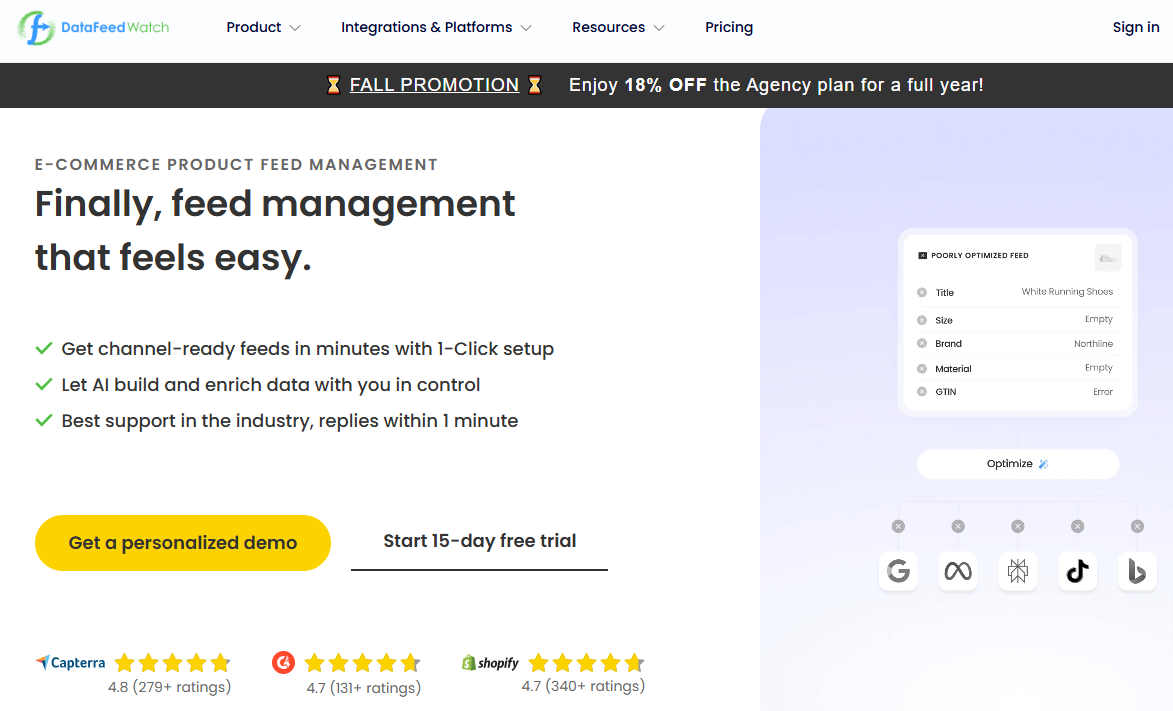
Its Feed Review feature is useful before you send those files out. You can check for missing values, invalid GTINs, duplicate identifiers, and incorrect field values rather than waiting for a channel to reject a product. When you're dealing with hundreds or thousands of SKUs, finding those problems manually is tedious.
There is also the question of timing, particularly for seasonal stock. A retailer selling winter products cannot wait until shoppers are already searching before adding the relevant products to its feed. By then, some customers may already have made their choice.
Travis Lambert, General Manager at Central Oregon Heating, Cooling, Plumbing & Electrical, describes how they handle this with seasonal services.
"Demand in our region follows the seasons closely, so we move seasonal services into the feed six weeks before our clients start asking. Assistants can only recommend what already sits in the catalog with accurate availability, and a service that appears the week demand peaks has missed the weeks when people were deciding. We keep a calendar of the dates each service category should switch on and off, and the feed follows that calendar."
Price and availability need similar attention year-round. OpenAI, for instance, expects current prices and stock information. If a sale starts or ends, you have to send the updated price. The dates in your feed won't automatically make that change happen for you.
Don't Lose Track of Feed Specification Changes
Another job often gets overlooked when merchants start managing several destinations. Keeping track of the actual specification each feed was built against.
A platform might change a required field or introduce a new format. If nobody on your team records those changes, it can be difficult to work out why a previously accepted feed has started failing.
Ken Button, Co-Founder and CEO of ContractSafe, a contract management platform that helps businesses organize agreements and track important dates, sees a similar need for proper record-keeping when managing feed specifications.
"Treat every platform's feed spec like a contract you've signed. Record which version of the spec you built to, the date you last checked it, and the person who owns that channel, then set a reminder to review it every quarter. When a disapproval lands, a written record of the version you built against turns a week of guessing into an afternoon fix."
This is particularly useful when different people manage your shopping channels. Say Google rejects a product that was working perfectly well the previous month. Before changing its attributes or rebuilding the feed, check which specification your team used and whether the platform has changed its requirements. A little record keeping can save you from fixing something that was never broken.
Start With the Feed You Already Have
None of this means you need a separate product catalog for every AI platform. Start with the information already sitting in your store and work out what needs to change for each destination.
ChatGPT will probably require the most preparation because of its specific fields and variant structure. You can add Google's conversational attributes to your existing Merchant Center data, while Perplexity and Microsoft require you to check which merchant integrations your store can use.
DataFeedWatch lets you manage these different versions from the same product data. You can set up channel-specific mappings, change how attributes are presented, and check the resulting feeds without maintaining several copies of your catalog.
That leaves your team with one source of product information to maintain, even when you're sending it to several different shopping platforms.
